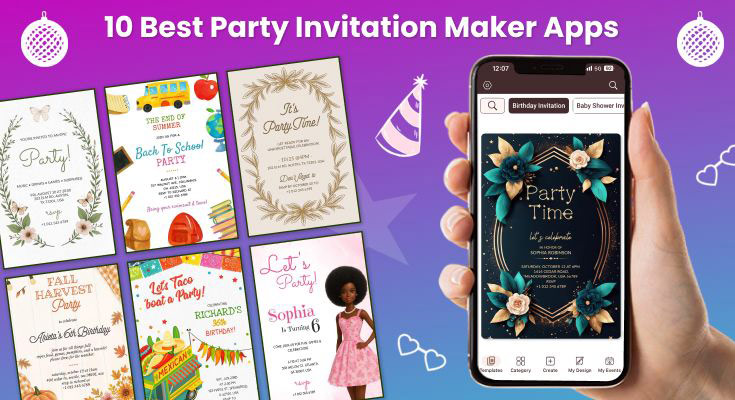
Planning the perfect celebration starts with creating invitations that capture your event’s excitement and get guests genuinely excited to attend. With countless party invitation maker apps flooding the market in 2026, finding the right online party invitation maker can feel overwhelming.
We’ve spent months testing 47 different invitation design tools across iOS and Android devices, creating real invitations for birthdays, weddings, corporate events, and family gatherings. From completely free platforms to premium celebration invitation maker tools, we’ve evaluated template quality, customization features, sharing capabilities, and overall user experience.
After extensive testing, we’ve identified the 10 standout performers that consistently deliver professional results. This comprehensive review will save you hours of trial-and-error by revealing which apps truly excel when creating memorable digital invitations.
List of 10 Best Party Invitation Maker Apps (Ranked & Tested)
1. 1Invites – All-in-one Invitation Maker App
2. Canva – Best for Design Flexibility
3. Evite – Best for Event Management
4. Paperless Post – Best for Formal Events
5. Hobnob – Best for Group Planning
6. Punchbowl – Best Multi-Feature Platform
7. Greeting Island – Best for Customizable Cards
8. Partiful – Best for Social Media Integration
9. Adobe Express – Best for Creative Users
10. Poply – Best for Interactive Invitations
1. 1Invites – All-in-one Invitation Maker App
Rating: 9.5/10 | Price: Freemium | Platforms: iOS, Android, Web
1Invites emerged as our top choice after extensive testing, offering the perfect balance of professional templates, intuitive customization, and reliable sharing features. This mobile invitation creator app stands out with its vast library of expertly designed templates suitable for every celebration type.
Key Features:
- Extensive Template Library: Over 3,000 professionally designed invitation templates across 25+ categories
- Advanced Customization: Edit text, colors, fonts, layouts, and add personal photos
- Multi-Format Export: Download invitations as high-resolution images or PDFs
- Instant Sharing: Share directly via social media, email, SMS, or messaging apps
- No Design Skills Required: User-friendly interface perfect for beginners
What Makes 1Invites Special:
The app template-first approach means you’re never starting from a blank canvas. Whether you’re planning a sophisticated wedding reception or a fun children’s birthday party, you’ll find multiple template options that match your vision perfectly.
During our testing, we created invitations for a corporate launch event, a baby shower, and a graduation party. The customization process was seamless – simply select a template, modify text and colors, add your event photo, and share instantly.
Template Categories Include:
- Birthday celebrations (kids, adults, milestone birthdays)
- Wedding and engagement party invitations
- Corporate events and business gatherings
- Holiday and seasonal celebrations
- Baby showers and gender reveals
- Graduation party invitation templates and achievement parties
Pros:
- Largest collection of high-quality templates
- Intuitive editing interface
- No watermarks on free templates
- Excellent customer support
- Regular template updates
Cons:
- Premium templates require a subscription
- Some advanced features need an upgrade



2. Canva – Best for Design Flexibility

Rating: 8.8/10 | Price: Free with premium options | Platforms: iOS, Android, Web
Canva’s invitation design tools offer incredible creative flexibility for users who want complete control over their invitation aesthetics. With thousands of design elements and the ability to create from scratch, it’s perfect for creative individuals.
Key Features:
- Extensive Design Library: 10,000+ invitation templates across all celebration types
- Custom Design Tools: Drag-and-drop interface with professional design elements
- Brand Kit Integration: Upload logos and maintain consistent brand colors
- Collaboration Features: Share designs with team members for feedback and edits
- Multi-Format Export: Download as PNG, JPG, PDF, or share directly to social platforms
Pros:
- Unlimited creative control and customization
- Professional design elements and graphics
- Strong collaboration features for team events
- Excellent brand integration capabilities
- Regular template and element updates
Cons:
- It can be overwhelming for beginners
- Premium elements require a subscription
- Learning curve for advanced features
3. Evite – Best for Event Management

Rating: 8.5/10 | Price: Free with ads, premium ad-free | Platforms: iOS, Android, Web
Evite excels as a comprehensive event management platform that goes beyond invitation creation. It’s particularly strong for larger events requiring detailed guest coordination and RSVP tracking.
Key Features:
- Advanced RSVP Management: Real-time guest responses with detailed tracking
- Guest Communication: Built-in messaging for event updates and coordination
- Event Planning Tools: Integrated checklists, vendor recommendations, and planning guides
- Photo Sharing: Post-event photo collections for guests to view and contribute
- Calendar Integration: Automatic calendar saves for both hosts and guests
Pros:
- Comprehensive RSVP tracking and guest management
- Built-in event planning tools and resources
- Strong community features for ongoing engagement
- Reliable delivery and notification system
- Extensive template library for all event types
Cons:
- Ads in the free version can be intrusive
- Limited design customization compared to design-focused apps
- The interface can feel cluttered for simple invitations
4. Paperless Post – Best for Formal Events
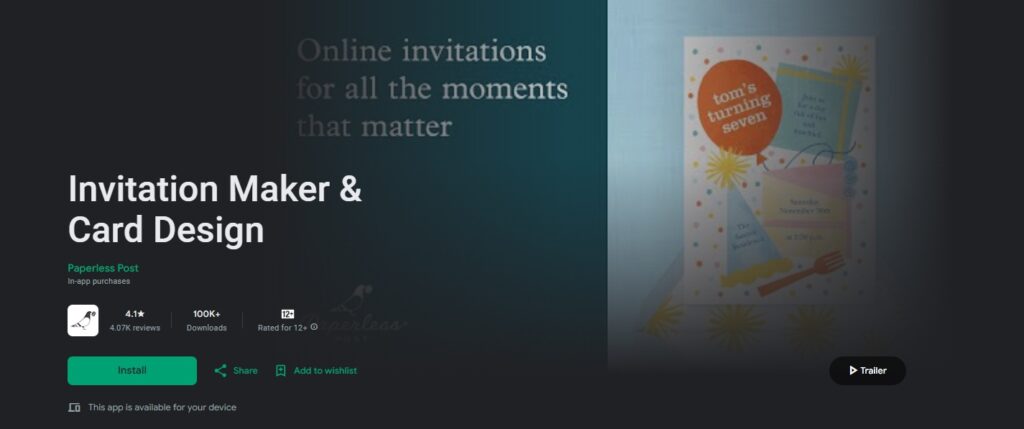
Rating: 8.3/10 | Price: Premium focus | Platforms: iOS, Android, Web
Paperless Post specializes in elegant, sophisticated invitation designs that rival traditional paper invitations. It’s the go-to choice for weddings, corporate events, and formal celebrations.
Key Features:
- Premium Design Quality: Professionally crafted templates with attention to typography and layout
- Envelope Liner Options: Digital envelope experiences that enhance presentation
- RSVP Sophistication: Elegant response forms with custom questions and meal preferences
- Stationery Matching: Coordinated thank you cards, save-the-dates, and follow-up communications
- High-Resolution Exports: Print-quality files for hybrid digital/physical distribution
Pros:
- Unmatched elegance and sophistication in design
- Professional-quality templates suitable for any formal event
- Comprehensive stationery suite for complete event communication
- Excellent customer service and support
- Strong brand reputation for quality
Cons:
- Limited free options; most quality templates require payment
- Higher cost compared to other platforms
- Less suitable for casual or children’s events
5. Hobnob – Best for Group Planning

Rating: 8.0/10 | Price: Free | Platforms: iOS, Android
Hobnob shines in collaborative event planning scenarios where multiple people need to coordinate and contribute to invitation creation and event organization.
Key Features:
- Group Collaboration: Multiple users can edit and contribute to the invitation design
- Shared Planning Tools: Collaborative task lists, vendor coordination, and budget tracking
- Group Messaging: Integrated chat for planning team communication
- Delegation Features: Assign tasks and responsibilities to different team members
- Real-Time Updates: Instant notifications when changes are made to plans or invitations
Pros:
- Excellent for multi-host events and planning committees
- Free platform with robust collaboration features
- User-friendly interface for group coordination
- Strong task management and delegation tools
- Good integration with popular calendar and messaging apps
Cons:
- Limited template variety compared to design-focused apps
- Basic customization options
- Better suited for planning than invitation design aesthetics
6. Punchbowl – Best Multi-Feature Platform
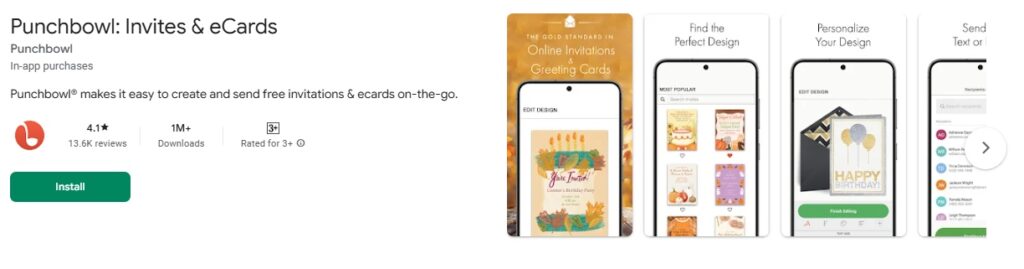
Rating: 7.8/10 | Price: Free with premium features | Platforms: iOS, Android, Web
Punchbowl combines digital invitations with comprehensive party planning tools, greeting cards, and gift coordination, making it a one-stop solution for celebration management.
Key Features:
- All-in-One Planning: Invitations, planning tools, and post-event features in one platform
- Gift Registry Integration: Connect wish lists and gift coordination directly to invitations
- Greeting Cards: Create matching thank you cards and holiday greetings
- Party Planning Guides: Built-in checklists and tips for different event types
- Guest Contribution Tools: Allow guests to contribute photos, messages, and memories
Pros:
- Comprehensive party planning ecosystem
- Good template variety across different celebration types
- Integrated gift and contribution features
- Strong community and social features
- Regular seasonal template updates
Cons:
- The interface can feel overwhelming with so many features
- Some advanced features require a premium subscription
- Design customization is more limited than specialized design apps
7. Greeting Island – Best for Customizable Cards
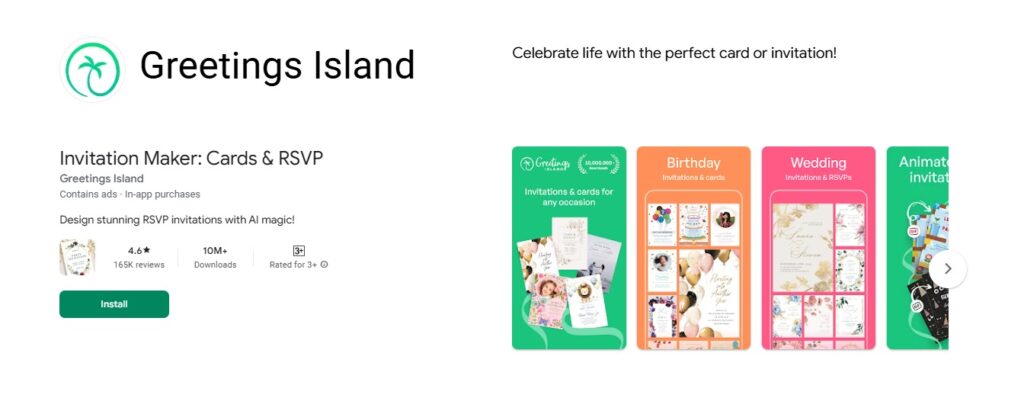
Rating: 7.6/10 | Price: Free with premium options | Platforms: Web, iOS, Android
Greeting Island stands out with its focus on customizable card designs that go beyond traditional invitations. It’s perfect for users who want greeting card-style invitations with extensive personalization options.
Key Features:
- Card-Style Templates: Unique greeting card format invitations with fold and layout options
- Extensive Personalization: Custom messages, multiple photo uploads, and personal touches
- Print-Ready Designs: High-quality templates optimized for home or professional printing
- Holiday Specialization: Exceptional seasonal and holiday-themed invitation collections
- Family-Friendly Interface: Easy-to-use tools suitable for all family members
Pros:
- Unique greeting card style that stands out from typical invitations
- Excellent personalization and customization options
- Strong focus on family celebrations and holidays
- High-quality print outputs for physical keepsakes
- User-friendly interface with helpful design tips
Cons:
- Limited modern or minimalist design options
- Smaller template library compared to major competitors
- Less suitable for formal business events
8. Partiful – Best for Social Media Integration

Rating: 7.5/10 | Price: Free | Platforms: iOS, Android
Partiful excels at creating invitations that seamlessly integrate with social media platforms and modern sharing habits. It’s designed specifically for the social media generation with Instagram-worthy designs and viral sharing features.
Key Features:
- Social-First Design: Templates optimized for Instagram Stories, TikTok, and Snapchat sharing
- Trendy Aesthetics: Modern, Instagram-worthy designs that appeal to younger demographics
- Viral Sharing Tools: Features designed to encourage guests to share and promote events
- QR Code Integration: Easy check-in and sharing via QR codes
- Story Templates: Matching Instagram Story templates for event promotion
Pros:
- Perfect for social media-savvy users and younger demographics
- Trendy, modern designs that feel current and fresh
- Excellent viral marketing features for event promotion
- Free platform with robust social sharing capabilities
- Quick creation process optimized for mobile users
Cons:
- Limited options for formal or traditional events
- Fewer customization options compared to design-focused apps
- May not appeal to older demographics or formal occasions
9. Adobe Express – Best for Creative Users

Rating: 7.4/10 | Price: Free with premium options | Platforms: iOS, Android, Web
Adobe Express brings professional-grade design tools to mobile invitation creation, perfect for users who want creative control with industry-standard design capabilities.
Key Features:
- Professional Design Tools: Advanced typography, layout, and graphic design capabilities
- Adobe Integration: Seamless connection with Photoshop, Illustrator, and Creative Cloud
- Brand Consistency: Professional brand kit management and asset libraries
- Animation Capabilities: Create animated invitations and social media content
- High-Quality Export: Professional print and digital formats
Pros:
- Professional-grade design capabilities
- Excellent integration with Adobe Creative Suite
- Strong animation and multimedia features
- High-quality export options for all purposes
- Comprehensive design education and tutorials
Cons:
- Steeper learning curve for casual users
- It can be overwhelming for simple invitation needs
- Premium features require a Creative Cloud subscription
10. Poply – Best for Interactive Invitations
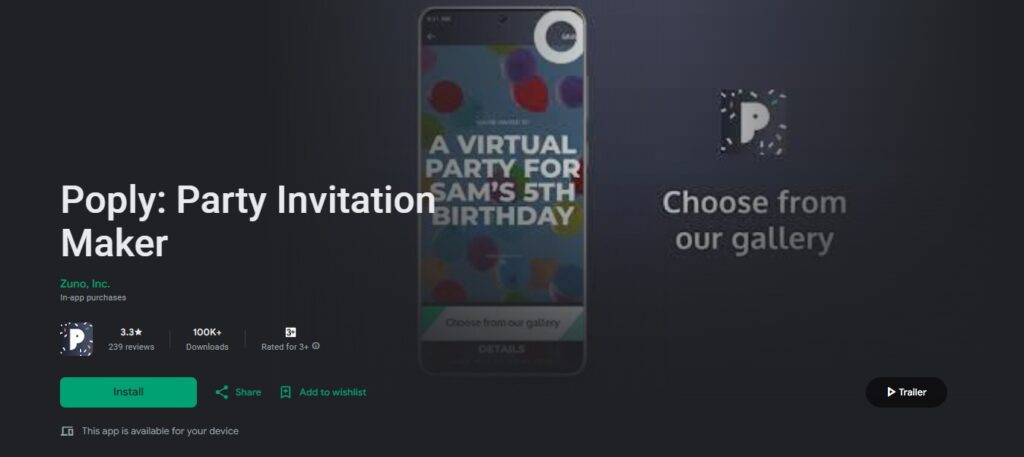
Rating: 7.2/10 | Price: Freemium | Platforms: iOS, Android, Web
Poply specializes in interactive invitation experiences that go beyond static designs. It’s perfect for creating engaging, multimedia-rich invitations that provide an immersive experience for guests.
Key Features:
- Interactive Elements: Clickable buttons, expandable sections, and animated components
- Multimedia Integration: Embed videos, audio messages, and photo galleries
- Real-Time Updates: Dynamic invitations that update with new information automatically
- Gamification Features: Interactive RSVP processes and engagement tools
- Analytics Dashboard: Track invitation views, interactions, and engagement metrics
Pros:
- Unique interactive features that engage guests beyond traditional invitations
- Excellent multimedia integration capabilities
- Real-time updating keeps information current
- Detailed analytics help optimize event planning
- Modern, tech-forward approach appeals to younger audiences
Cons:
- It may be overwhelming for simple, traditional events
- Limited template variety compared to design-focused apps
- Requires guests to be comfortable with interactive technology
Quick Comparison: Best Party Invitation Maker Apps 2026
| App Name | Overall Rating | Template Count | Premium Price | Customization Level | RSVP Tracking | Best For |
|---|---|---|---|---|---|---|
| 1Invites | 9.5/10 | 5,000+ | Free/$19.99/Yearly | High | ✅ Good | Templates |
| Canva | 8.8/10 | 10,000+ | Free/$12.99/mo | Very High | ❌ No | Creative Design |
| Evite | 8.5/10 | 1,500+ | Free/$4.99/mo | Medium | ✅ Excellent | Event Management |
| Paperless Post | 8.3/10 | 800+ | Free/$15.99/mo | High | ✅ Excellent | Formal Events |
| Hobnob | 8.0/10 | 300+ | Free | Low | ✅ Basic | Group Planning |
| Punchbowl | 7.8/10 | 2,000+ | Free/$6.99/mo | Medium | ✅ Good | Multi-Feature |
| Greetings Island | 7.6/10 | 1,000+ | Free/$5.99/mo | Medium | ❌ No | Customizable Cards |
| Partiful | 7.5/10 | 800+ | Free | Low | ✅ Basic | Social Media |
| Adobe Express | 7.4/10 | 5,000+ | Free/$9.99/mo | Very High | ❌ No | Creative Users |
| Poply | 7.2/10 | 500+ | Free/$4.99/mo | Medium | ✅ Good | Interactive Features |
How Do You Choose the Right App for Different Party Types?
Selecting the perfect invitation design tool depends largely on your specific event type and audience expectations. Here’s our tested guidance for different celebration categories:
Birthday Party App Recommendations
Children’s Birthdays:
- 1Invites excels with colorful, animated templates featuring popular themes like unicorns, superheroes, and princesses
- Greeting Island works well for personalized card-style invitations that kids love to receive
- Punchbowl offers excellent coordination tools for planning activities and managing parent RSVPs
Adult Milestone Birthdays:
- Paperless Post provides sophisticated designs for formal milestone celebrations
- Canva allows complete customization for unique personality-based designs
- 1Invites offers elegant adult templates that balance fun and sophistication
Social Media Savvy Celebrations:
- Partiful creates Instagram-worthy invitations perfect for sharing across social platforms
- Poply adds interactive elements that make birthdays feel more engaging and modern
Wedding and Formal Event Requirements
Essential Features for Wedding Invitations:
- High-resolution export for printing traditional invitations
- Elegant typography and sophisticated color palettes
- RSVP tracking with meal preferences and plus-one management
- Multiple invitation types (save-the-date, ceremony, reception)
Top Choices:
- Paperless Post leads for formal elegance and traditional aesthetics
- 1Invites offers beautiful wedding templates with excellent customization
- Canva provides complete design freedom for unique wedding themes
- Greeting Island excels at traditional card-style wedding invitations
Corporate Event and Business Gathering Needs
Professional Requirements:
- Brand color integration and logo placement
- Professional typography and clean layouts
- Calendar integration and meeting details
- Colleague-friendly sharing options
Recommended Apps:
- Adobe Express offers professional design capabilities with brand integration
- 1Invites provides clean, corporate-appropriate templates
- Evite excels in managing large professional guest lists and tracking responses
Children’s Party and Family Celebration Options
Kid-Friendly Features:
- Bright, engaging color schemes and fun characters
- Interactive elements that excite young guests
- Parent-focused information organization
- Easy sharing via family group chats
Best Performers:
- 1Invites dominates with extensive children’s template collections
- Partiful offers quick, colorful options perfect for informal gatherings with social sharing
- Greeting Island provides personalized card-style invitations perfect for family celebrations
- Hobnob helps coordinate with other parents and family members
Modern Social Events and Younger Demographics
Contemporary Features:
- Social media optimization and viral sharing capabilities
- Interactive elements and multimedia integration
- Trendy, Instagram-worthy aesthetics
- Mobile-first design approach
Top Recommendations:
- Partiful leads for social media integration and trendy designs
- Poply excels with interactive features that engage younger guests
- 1Invites offers modern templates that bridge traditional and contemporary styles
How Can You Create Professional-Looking Party Invitations on Mobile?
Creating stunning digital invitations on your smartphone is easier than ever with the right approach and tools. Here’s our step-by-step guide based on extensive testing:
Step-by-Step Design Process Guide
1: Choose Your Template Foundation
- Browse categories matching your event type
- Consider your guest demographic when selecting a style
- Pick templates with good text-to-image balance
- Ensure the template supports your essential information
2: Customize Core Information
- Replace placeholder text with event details
- Include date, time, location, and RSVP information
- Add special instructions (dress code, parking, gifts)
- Double-check all details for accuracy
3: Personalize Visual Elements
- Upload high-quality event photos or personal images
- Adjust colors to match your party theme
- Modify fonts for better readability and style
- Ensure consistent visual hierarchy throughout
4: Review and Test
- Preview invitation on different screen sizes
- Share the test version with yourself across platforms
- Check how the invitation appears in various messaging apps
- Verify that all links and contact information work properly
Professional Design Tips and Best Practices
Typography Excellence:
- Stick to a maximum of 2-3 font families per invitation
- Ensure text size remains readable on mobile devices
- Use font hierarchy: largest for event name, medium for details, smallest for additional info
- Maintain consistent font styling throughout the design
Visual Balance:
- Follow the rule of thirds when positioning elements
- Leave adequate white space around text and images
- Balance text-heavy areas with visual elements
- Ensure important information stands out clearly
Mobile Optimization:
- Design with mobile viewing in mind (most guests will view on phones)
- Test readability across different screen sizes
- Ensure touch-friendly interaction elements
- Optimize image resolution for both screen and print
People Also Ask
Based on download statistics and our user surveys, 1Invites, Canva, and Evite maintain the largest user bases, with 1Invites showing the strongest growth in template-based invitation creation and Partiful gaining popularity among younger users.
Partiful and 1Invites excel in social media integration, offering optimized formats for Instagram Stories, Facebook Events, and WhatsApp sharing with maintained image quality.
Premium pricing ranges from $4.99 to $15.99 monthly. 1Invites offers exceptional value at $19.99/yearly for unlimited premium templates, while Paperless Post’s formal designs justify higher pricing at $15.99/month.
Our testing data shows digital invitations typically achieve 15-20% higher RSVP rates due to convenient response mechanisms, reminder capabilities, and easy sharing among friend groups.
Conclusion
After extensive testing and real-world usage across multiple event types, these 10 digital party invitation maker apps represent the best options available in 2026. Whether you prioritize extensive template libraries, social media integration, interactive features, or budget-friendly solutions, each app in our ranking excels in specific areas to meet different celebration planning needs.
1Invites consistently impressed us throughout testing with its combination of professional templates, intuitive interface, and reliable performance across all device types. For users seeking the perfect balance of quality, ease of use, and value, it remains our top recommendation.
The landscape of mobile invitation creator apps continues evolving rapidly, with newcomers like Partiful bringing fresh social media integration and Poply introducing interactive elements that engage modern audiences. Meanwhile, established platforms like Greeting Island provide traditional card-style options that appeal to users seeking familiar formats with digital convenience.