

Planning your dream wedding involves countless decisions, and choosing the perfect wedding invitation maker sets the tone for your special day. With the rise of digital solutions, wedding invitation maker apps for iOS have revolutionized how couples create, customize, and share their wedding invitations. These powerful mobile applications offer convenience, affordability, and endless creative possibilities right from your iPhone or iPad.
List of 10 Best Wedding Invitation Maker Apps for iOS
1. 1Invites – Premium Digital Wedding Invitations
2. Canva – Versatile Design Platform
3. Paperless Post – Elegant Digital Stationery
4. Evite – Comprehensive Event Planning
5. Adobe Express – Creative Professional Tool
6. Greenvelope – Eco-Friendly Digital Invitations
7. Zola – Complete Wedding Planning Suite
8. Minted – Artist-Designed Invitations
9. Greetings Island – Creative Design Platform
10. Punchbowl – Event Planning Integration
1. 1Invites – Premium Digital Wedding Invitations


The wedding invitation maker iOS app 1Invites stands out as a comprehensive solution for couples seeking professional-quality digital wedding invitations. The app specializes in creating invitations using an iPhone with the 1Invites invitation maker, offering an intuitive design process that doesn’t compromise on sophistication.
Key Features:
- Over 500+ professionally designed wedding invitation templates across various wedding themes
- Advanced customization options, including custom fonts, colors, and graphics
- Multi-language support for international weddings
- Real-time RSVP management with guest communication tools
- Integration with popular wedding planning platforms
- High-resolution download options for printing
Pros:
- Exceptional design quality with professional aesthetics
- Comprehensive customization without technical complexity
- Excellent customer support and onboarding process
- Seamless integration with other wedding planning tools
Cons:
- Premium templates require a subscription
- Limited free template options
Pricing: Free basic version available; Premium plans start at $19.99/yearly
Best For: Couples seeking premium design quality with comprehensive wedding planning integration
2. Canva – Versatile Design Platform

Canva’s iOS app brings professional design capabilities to wedding invitation creation, offering extensive customization options and a vast template library. The platform’s drag-and-drop interface makes it accessible for users with no design background.
Key Features:
- Over 1,000 wedding invitation templates
- Brand kit functionality for consistent wedding branding
- Collaborative design features for couples planning together
- Integration with printing services
Pros:
- Massive template library with regular updates
- Intuitive design interface suitable for beginners
- Excellent value with extensive free features
- Strong brand consistency tools for wedding suites
Cons:
- It can feel overwhelming due to the numerous options
- Some wedding-specific features require a Pro subscription
- Template quality varies significantly
Pricing: Free version with basic features; Canva Pro at $119.99/year
Best For: Design-conscious couples who want maximum customization control
3. Paperless Post – Elegant Digital Stationery

Paperless Post combines traditional stationery aesthetics with modern digital convenience. The iOS app features designs from renowned artists and stationery brands, ensuring premium quality and sophisticated styling.
Key Features:
- Designer collaborations with luxury stationery brands
- Envelope lining and stamp customization options
- Advanced tracking and analytics for invitation engagement
- Guest list management with import/export capabilities
- Premium paper options for a hybrid digital-physical approach
Pros:
- High-end, luxury design aesthetics
- Excellent guest experience with elegant presentation
- Strong analytics and tracking capabilities
- Professional printing options available
Cons:
- Higher cost per invitation compared to competitors
- Limited customization of designer templates
- Fewer modern or casual design options
Pricing: Individual invitations from $2-$8; Unlimited plans available
Best For: Couples prioritizing elegant, luxury-inspired designs
4. Evite – Comprehensive Event Planning

Evite’s iOS app extends beyond invitations to offer complete event planning solutions. The platform integrates invitation creation with party planning tools, making it ideal for couples managing multiple wedding-related events.
Key Features:
- Extensive template library with regular updates
- Event planning tools, including gift registries and vendor recommendations
- Guest messaging and communication features
- Photo sharing capabilities for engagement photos
- Coordinated invitation suites for multiple events
- Social media integration for broader reach
Pros:
- Completely free basic service with good template selection
- Strong event planning integration beyond invitations
- User-friendly interface with simple navigation
- Excellent guest communication tools
Cons:
- Design quality is lower than premium competitors
- Limited advanced customization options
- Some features feel outdated compared to newer apps
Pricing: Free basic version; Premium features from $4.99/month
Best For: Couples planning multiple wedding events (engagement parties, rehearsal dinners, etc.)
5. Adobe Express – Creative Professional Tool
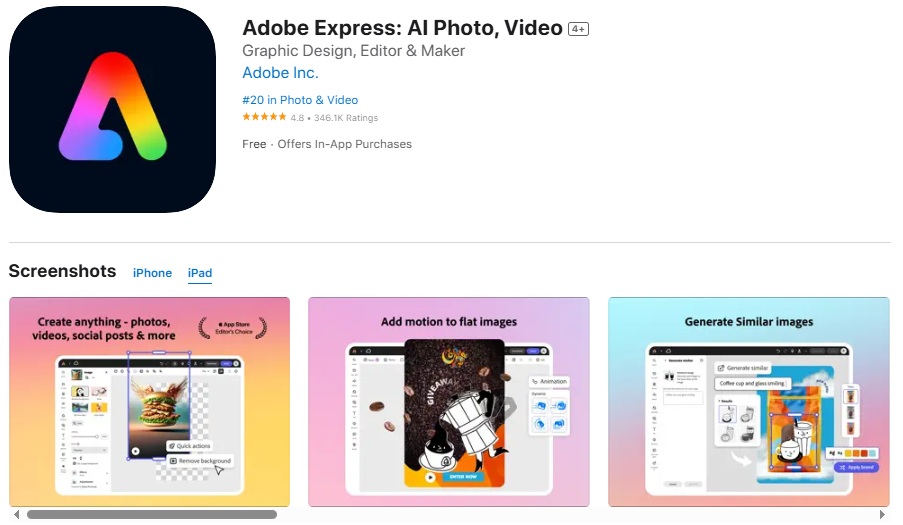
Adobe Express brings professional-grade design tools to iOS devices, offering advanced creative capabilities for couples with specific design visions. The app provides access to Adobe’s extensive creative resources and typography options.
Key Features:
- Adobe Creative Suite integration
- Professional typography and font library
- Advanced photo editing capabilities
- Brand consistency tools
- High-resolution export options
- Collaborative workspace features
Pros:
- Professional-grade design capabilities
- Extensive creative resources and assets
- Integration with the broader Adobe ecosystem
- High-quality export options for printing
Cons:
- Steep learning curve for non-designers
- Subscription required for most advanced features
- It can be overwhelming for simple invitation needs
Pricing: Free version available; Premium at $9.99/month
Best For: Creative couples with specific design requirements and Adobe ecosystem familiarity
6. Greenvelope – Eco-Friendly Digital Invitations

Greenvelope focuses on environmentally conscious couples, offering beautiful digital invitations with sustainability at its core. The iOS app combines elegant design with comprehensive environmental impact tracking.
Key Features:
- 100% digital invitation process
- Environmental impact calculator
- Custom illustration services
- Advanced RSVP management
- Guest communication tools
- Wedding website integration
Pros:
- Strong environmental focus with impact tracking
- High-quality, elegant design options
- Excellent customer service and support
- Comprehensive guest management features
Cons:
- Higher pricing compared to some competitors
- Limited template variety
- Fewer customization options than design-focused apps
Pricing: Plans start at $49 for 100 invitations
Best For: Environmentally conscious couples seeking sustainable alternatives
7. Zola – Complete Wedding Planning Suite

Zola’s iOS app integrates wedding invitations with comprehensive wedding planning tools, including registry management, vendor booking, and guest list coordination. The platform offers end-to-end wedding planning solutions.
Key Features:
- Coordinated wedding suite including invitations, websites, and registries
- Guest list synchronization across all planning elements
- Vendor marketplace integration
- Wedding timeline management
- Budget tracking and planning tools
- Social sharing and communication features
Pros:
- Comprehensive wedding planning integration
- Seamless coordination between all wedding elements
- Strong vendor marketplace and recommendations
- Good value for couples using multiple Zola services
Cons:
- It can feel complex for couples wanting simple invitations only
- Design options are more limited than specialized apps
- Some features require using Zola’s ecosystem entirely
Pricing: Free basic features; Premium invitations from $1.50 each
Best For: Couples seeking integrated wedding planning solutions
8. Minted – Artist-Designed Invitations

Minted’s iOS app features unique designs from independent artists worldwide, offering couples access to exclusive, artist-created wedding invitations that stand out from standard templates.
Key Features:
- Exclusive artist-designed templates
- Foil stamping and premium printing options
- Color customization based on wedding palettes
- Matching wedding suite coordination
- Quality paper sample ordering
- Professional design consultation services
Pros:
- Unique, high-quality artist designs
- Excellent printing quality and paper options
- Strong brand reputation and customer service
- Coordinated wedding suite options
Cons:
- Higher price point for digital invitations
- Limited customization of artist designs
- Fewer casual or budget-friendly options
Pricing: Digital invitations from $45; Physical printing options available
Best For: Couples seeking unique, artist-created designs
9. Greetings Island – Creative Design Platform
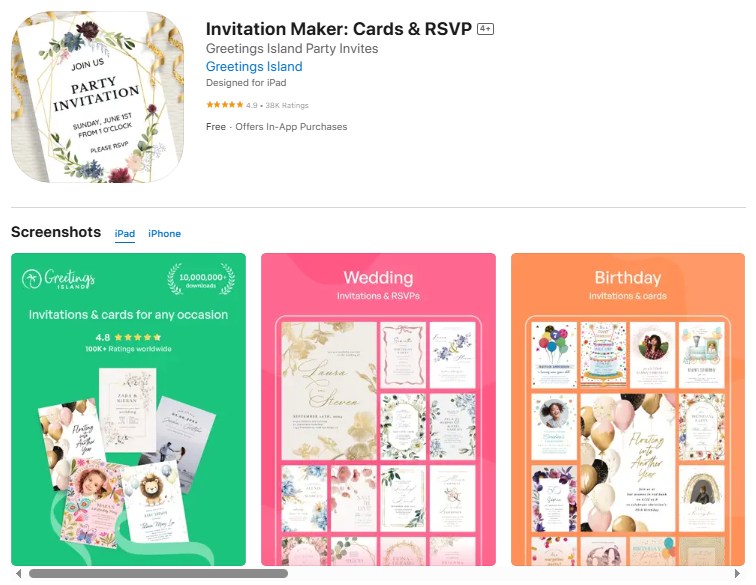
Greetings Island offers a wide range of customizable templates with a focus on creative expression and unique design elements. The iOS app provides extensive personalization options for couples seeking distinctive invitations.
Key Features:
- Over 800 wedding invitation templates
- Advanced photo editing and filter options
- Custom illustration and graphics library
- Multi-language template support
- Print-at-home and professional printing options
- Social media sharing optimization
Pros:
- Extensive template variety across all wedding themes
- User-friendly drag-and-drop interface
- High-quality graphics and design elements
- Affordable pricing with free options available
Cons:
- Limited advanced typography options
- Some premium features require a subscription
- Export quality can vary depending on the plan
Pricing: Free basic version; Premium plans from $4.99/month
Best For: Creative couples seeking unique, artistic design elements
10. Punchbowl – Event Planning Integration
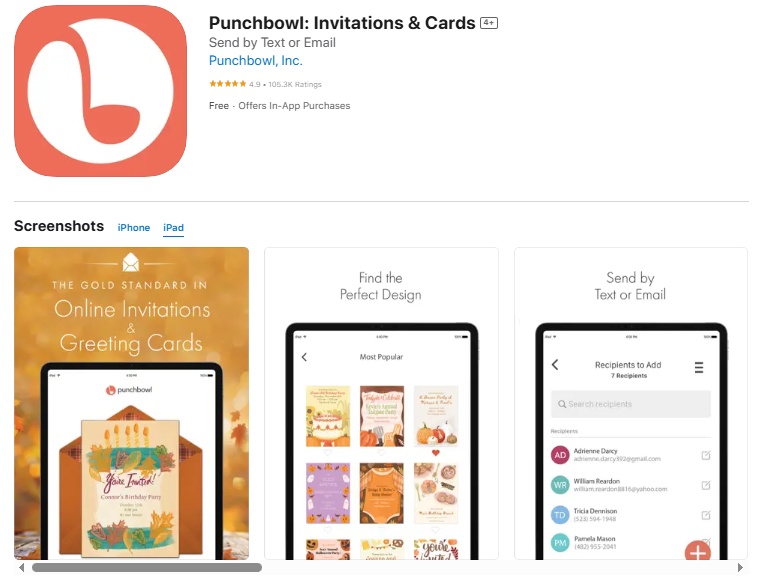
Punchbowl combines invitation creation with comprehensive event planning tools, making it ideal for couples managing multiple wedding-related celebrations and wanting integrated party planning solutions.
Key Features:
- Coordinated invitation suites for multiple events
- Built-in party planning tools and checklists
- Guest list management with RSVP tracking
- Photo sharing and guest interaction features
- Vendor recommendation integration
- Real-time event updates and messaging
Pros:
- Comprehensive event planning beyond just invitations
- Strong guest engagement and interaction features
- Excellent customer support and tutorials
- Seamless integration between different wedding events
Cons:
- The interface can feel overwhelming for simple invitation needs
- Premium features are expensive compared to competitors
- Limited modern design aesthetics
Pricing: Free basic version; Premium features from $6.99/month
Best For: Couples planning multiple wedding events and wanting integrated party planning tools
Quick Comparison: Which Wedding Invitation Maker App Is Right for You?
| App Name | Pricing | Templates | Customization | Best Feature | Rating |
|---|---|---|---|---|---|
| 1Invites | Free/$19.99/Yearly | 500+ | High | Premium digital quality | 4.8/5 |
| Canva | Free/$119.99/year | 1000+ | Very High | Design flexibility | 4.7/5 |
| Paperless Post | $2-8 per invite | 300+ | Medium | Luxury aesthetics | 4.6/5 |
| Evite | Free/$4.99/month | 400+ | Medium | Event planning tools | 4.3/5 |
| Adobe Express | Free/$9.99/month | 250+ | Very High | Professional tools | 4.5/5 |
| Greenvelope | $49 for 100 | 200+ | Medium | Eco-friendly focus | 4.4/5 |
| Zola | Free/$1.50+ each | 150+ | Medium | Wedding suite integration | 4.2/5 |
| Minted | $45+ | 100+ | Low | Artist designs | 4.6/5 |
| Greetings Island | Free/$4.99/month | 800+ | High | Creative elements | 4.3/5 |
| Punchbowl | Free/$6.99/month | 300+ | Medium | Event management | 4.1/5 |
How Do You Choose the Right Wedding Invitation App for Your Style?
Selecting the perfect wedding invitation maker apps for iOS requires understanding your unique style preferences, technical requirements, and budget constraints. The right app should align with your wedding vision while providing the functionality needed to create and manage your invitations effectively.
What Wedding Style Best Describes Your Vision?
- Classic and Elegant Weddings: For traditional ceremonies featuring formal venues, church settings, or country club receptions, apps like Paperless Post and Minted excel in providing sophisticated, timeless designs. These platforms offer elegant typography, classic color palettes, and refined aesthetic elements that complement formal wedding themes.
- Modern and Minimalist Celebrations: Contemporary couples planning sleek, urban weddings benefit from apps like Canva and Adobe Express, which provide clean lines, modern typography, and customizable design elements. These platforms support bold color choices and geometric patterns that reflect modern aesthetic preferences. For waterfront ceremonies, explore beach wedding invitation templates that capture coastal elegance.
- Rustic and Outdoor Themes: Couples planning barn weddings, garden parties, or outdoor celebrations should consider apps like Greetings Island offer extensive libraries of nature-inspired templates. 1Invites offers modern wedding invitation templates for contemporary design inspiration.
- Creative and Artistic Approaches: For couples wanting unique, personalized designs that reflect their artistic personalities, Minted’s artist-designed templates and Adobe Express’s professional tools provide the creative freedom needed to develop truly distinctive invitations.
How Important Is Customization for Your Wedding Invitations?
- High Customization Needs: Couples with specific color schemes, unique fonts, or complex design requirements should prioritize apps offering extensive customization capabilities. Canva and Adobe Express provide the most comprehensive editing tools, allowing detailed modifications to templates and original design creation.
- Moderate Customization Preferences: For couples comfortable with template-based approaches but wanting some personalization options, apps like 1Invites, Evite, and Greetings Island offer balanced solutions with good customization within structured template frameworks.
- Simple Template Usage: Couples preferring straightforward, elegant solutions without extensive customization can benefit from Paperless Post or Minted, where high-quality designs require minimal modification while maintaining professional appeal.
What Technical Features Matter Most to You?
- Guest Management Priority: Couples with large guest lists or complex RSVP requirements should focus on apps with robust guest management features. Zola, Evite, and Punchbowl provide comprehensive tools for tracking responses, managing dietary restrictions, and coordinating multiple events.
- Integration Requirements: For couples using multiple wedding planning tools, apps offering extensive integration capabilities provide streamlined planning experiences. Zola’s complete wedding suite and 1Invites’ planning platform integrations reduce duplicate data entry and improve coordination.
- Digital-First Approach: Tech-savvy couples prioritizing digital delivery, social media sharing, and mobile optimization should consider apps like Canva, Greenvelope, and Adobe Express, which excel in digital-first design and distribution capabilities.
What Is the Step-by-Step Process for Creating Your Perfect Wedding Invitation?
Creating stunning wedding invitations using the best wedding invitation apps for iPhone follows a systematic approach that ensures professional results while reflecting your personal style and wedding vision. For a comprehensive guide, learn how to make wedding invitations step-by-step.
How Do You Start the Design Process?
1: Define Your Wedding Brand before opening any app, establish your wedding’s visual identity, including primary colors (2-3 maximum), preferred typography style (elegant script, modern sans-serif, classic serif), and overall aesthetic theme (romantic, modern, rustic, classic).
2: Gather Essential Information. Compile all necessary invitation details, including exact ceremony date and time, complete venue address with GPS coordinates, reception location if different, RSVP deadline (typically 3-4 weeks before wedding), dress code specifications, and wedding website URL.
3: Select Your Template Foundation. Choose templates that align with your established wedding brand, considering layout structure that accommodates your information hierarchy, color schemes complementing your wedding palette, and typography styles matching your aesthetic preferences.
What Are the Key Customization Steps?
4: Personalize Typography, replace template text with your specific wedding information, ensuring proper hierarchy with the couple’s names most prominent, ceremony details clearly presented, and RSVP information easily scannable. Adjust font sizes to maintain readability across different devices. Choose from various wedding invitation fonts that match your style and adjust font sizes to maintain readability across different devices.
5: Optimize Color Schemes. Apply your wedding color palette consistently throughout the design, ensuring adequate contrast for readability, coordinating colors with venue and season preferences, and maintaining elegance through restrained color usage.
6: Integrate Visual Elements, add engagement photos or couples portraits with high resolution (minimum 300 DPI), incorporate meaningful graphics or illustrations, and ensure visual elements enhance rather than overwhelm text information.
How Do You Finalize and Distribute Your Invitations?
7: Review and Proofread carefully check all spelling, dates, and venue information, verify RSVP contact details and deadlines, ensure consistent formatting throughout the design, and test invitation display across different device types.
8: Set Up Distribution Lists import guest contacts from your phone or wedding planning apps, organize guests into appropriate groups (ceremony only, reception included, international guests), and verify email addresses and phone numbers for accuracy.
9: Send and Track Responses schedule invitation delivery for optimal timing (Tuesday-Thursday, mid-morning), monitor delivery confirmation and open rates, send automated reminders to non-respondents, and track RSVP responses for venue and catering planning.
What Are the Pro Tips for Designing Wedding Invitations on Your iPhone?
Mastering an online wedding invitation maker for iOS apps requires understanding both technical optimization and design principles that ensure professional results when working within mobile constraints.
How Can You Maximize Design Quality on Mobile Devices?
- Optimize Your Workspace: Use your iPhone in landscape mode when possible for better design visibility, ensure adequate lighting to accurately assess color choices, and work in a distraction-free environment to maintain design focus and attention to detail.
- Leverage iOS-Specific Features: Take advantage of Apple Pencil compatibility for precise editing on iPad devices, use AirDrop for easy photo transfer from other devices, and utilize iOS color picker tools for exact color matching with wedding elements.
- Master Touch-Based Editing: Develop proficiency with pinch-to-zoom for detailed editing work, use long-press gestures for accessing advanced editing options, and practice drag-and-drop functionality for efficient element positioning.
What Design Techniques Create Professional Results?
- Typography Hierarchy Mastery: Establish a clear visual hierarchy with a couple of names as the primary focal point, ceremony details as secondary information, and additional details in supporting text sizes. Maintain consistent spacing between text elements for a professional appearance.
- Color Psychology Application: Choose colors that evoke appropriate emotions for your wedding theme, ensuring seasonal appropriateness and venue coordination. Use color temperature consistently throughout the design, avoiding mixing warm and cool tones without intentional contrast.
- White Space Utilization: Allow adequate breathing room around text and graphic elements, avoiding overcrowded designs that appear amateur. Use white space strategically to guide the reader’s attention through the information hierarchy.
How Do You Ensure Mobile Optimization for Recipients?
- Cross-Platform Testing: Preview your invitations on different iOS devices to ensure consistent appearance, test email delivery to various email providers, and verify readability on both iPhone and iPad screen sizes.
- Interactive Element Optimization: Ensure RSVP buttons are easily tappable on mobile devices, optimize loading speed for guests with slower internet connections, and provide alternative contact methods for guests experiencing technical difficulties.
- Accessibility Considerations: Use sufficient color contrast for visually impaired guests, include alt text for images when possible, and ensure text remains readable when device accessibility features are enabled.
What Are the Common Mistakes to Avoid?
- Design Overcomplication: Resist the urge to use too many fonts, colors, or graphic elements in a single design. Professional invitations typically use a maximum of two fonts and three colors for optimal visual impact.
- Information Hierarchy Confusion: Avoid making all text elements the same size or importance level. Essential information like date, time, and location should be immediately apparent to recipients.
- Mobile-Specific Pitfalls: Don’t assume your design will look identical on all devices. Test thoroughly and consider how different screen sizes and email clients might display your invitation.
- Timing and Distribution Errors: Avoid sending invitations during busy periods like holidays or major events when guests might overlook them. Tuesday through Thursday, mid-morning sends typically achieve the highest open rates.
FAQs
Yes, modern best wedding invitation apps for iPhone are specifically designed for users without professional design backgrounds. These apps provide drag-and-drop interfaces, pre-designed templates, and guided creation processes that simplify invitation design. Most apps include tutorial videos and design tips to help beginners create professional-quality invitations using intuitive touch-based controls.
Digital wedding invitations have gained widespread acceptance across all wedding formality levels, with over 65% of couples now incorporating digital elements into their wedding communications. Many best iOS apps to design beautiful wedding invitations offer elegant, sophisticated designs indistinguishable from traditional printed invitations. The key is selecting appropriate design aesthetics and ensuring proper etiquette in invitation wording and timing.
Most premium online wedding invitation makers for iOS apps provide high-resolution PDF export options specifically designed for professional printing. These files maintain design quality and color accuracy when printed on quality cardstock. Some apps also integrate directly with professional printing services, allowing a seamless transition from digital design to physical production.
Essential information includes couple names, ceremony date and time, venue address with GPS coordinates or venue name, RSVP deadline and method, dress code if applicable, and wedding website URL for additional details. For reference, you can view wedding invitation samples to see how this information is typically presented.
Digital wedding invitations should follow traditional timeline guidelines: save-the-dates 6-8 months before the wedding, formal invitations 6-8 weeks before the ceremony, and RSVP deadlines 3-4 weeks before the wedding date.
Conclusion
Wedding invitation maker apps for iOS have revolutionized the way couples create and share their invites, combining creative control, cost savings, and convenience. These digital tools provide professional-quality designs, interactive features, and guest management options that often surpass traditional printed invitations.
From premium platforms like 1Invites to versatile solutions like Zola, the best iPhone wedding invitation apps cater to different styles and needs. With intuitive interfaces, extensive template libraries, and advanced customization, couples can design invitations that perfectly reflect their wedding vision while embracing the future of digital celebrations.