

The best Birthday Invitation Maker Apps for Android in 2026 offer a powerful blend of creativity, convenience, and customization. Leading the list is 1Invites with 1,000+ professional templates and advanced customization tools, followed by Canva, Adobe Express, Evite, and InviteShop. 1Invites stands out with birthday-specific design intelligence and RSVP tracking, making it the optimal choice for creating professional birthday invitations on mobile devices.
Creating stunning birthday invitations on your Android device has never been more accessible or professional. For those ready to design with ease, explore the best birthday invitation maker app for Android phones for every age and theme. With the right app, you can design, customize, and distribute beautiful invitations that rival those of expensive custom designs, while maintaining complete creative control over your celebration planning.
List of Best 10 Birthday Invitation Maker Apps for Android
1Invites – Best Birthday Invitation App for Android
Canva – Popular General Design App with Birthday Features
Adobe Express – Professional-Grade Mobile Design
Evite – Digital-First Invitation Platform
Poply – Interactive Digital Invitation Specialist
Promeo – Creative Video and Static Invitation Maker
Punchbowl – Digital Invitation and RSVP Specialist
Paperless Post – Elegant Digital Invitations
Invitation Maker & Card Design – All-in-One Solution
Birthday Invitation Card Maker – Specialized Birthday Focus
#1: 1Invites – Best Birthday Invitation App for Android
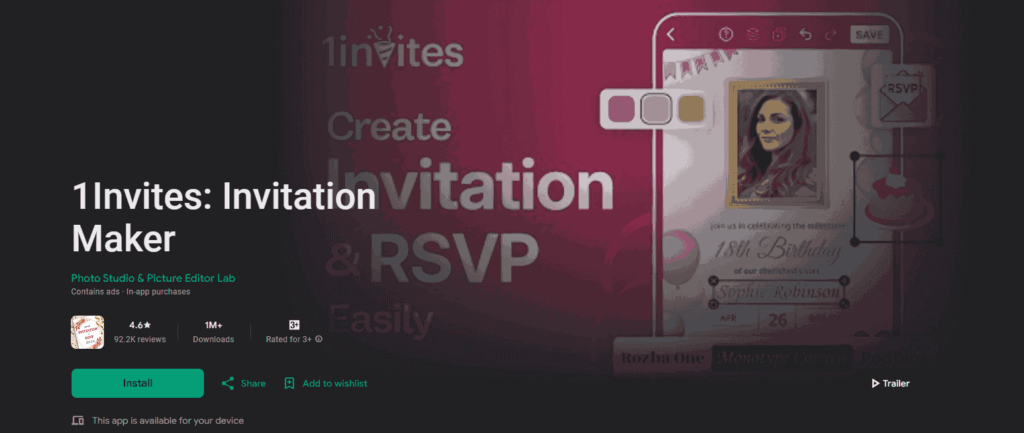
1Invites dominates the Android birthday invitation space by focusing specifically on celebration design while offering professional-grade tools that rival expensive desktop software. This specialized approach translates to superior results for birthday party planning.
Why 1Invites Ranks #1 for Android Users
Comprehensive Birthday-Focused Design Library:
- 1,000+ birthday invitation templates across all age groups and celebration styles
- Age-intelligent recommendations suggesting appropriate designs based on the birthday person’s age and interests
- Trending theme integration featuring popular characters, movies, and cultural references
- Seasonal collections with holiday-specific birthday designs and limited-time themes
- Cultural diversity represents various traditions and celebration styles worldwide
Advanced Android Integration: 1Invites leverages Android’s capabilities more effectively than competing apps:
- Material Design 3 compliance provides familiar, intuitive interface patterns
- Android 14 optimization is taking advantage of the latest system features and security enhancements
- Seamless contact integration, importing guest lists directly from Android contacts
- Calendar synchronization, creating automatic event reminders, and scheduling
- Google Drive backup ensures designs sync across Android devices and remain accessible
Professional Customization Tools: The app provides desktop-level editing capabilities optimized for mobile use:
- Layer-based editing allows complex design compositions with precise element control
- Advanced typography engine supporting custom fonts, effects, and precise spacing control. The right wording can make or break your invitation – discover birthday invitation wording examples for all ages to craft the perfect message.
- Photo editing suite including filters, crop tools, background removal, and color adjustment
- Vector graphics support ensures crisp designs at any size or resolution
- Animation capabilities create dynamic invitations for digital sharing
1Invites Pricing and Value Analysis
Free Tier Benefits:
- 200+ premium templates available without payment
- Basic customization tools are sufficient for most birthday invitation needs
- Standard export options include PDF and PNG formats
- Limited cloud storage for saving designs across sessions
- Community feature access for design inspiration and sharing
Premium Subscription ($4.99/month):
- Complete template library access to all 1,000+ designs
- Advanced editing tools, including animation, advanced effects, and layer management
- Unlimited cloud storage with automatic backup across devices
- Priority customer support with direct access to design assistance
- Commercial usage rights for professional party planners and event organizers
- Bulk export options for large guest lists and multiple format requirements
Annual Plan Savings ($19.99/year):
- 33% cost reduction compared to a monthly subscription
- Extended feature preview, early access to new templates and tools
- Enhanced support priority with faster response times and dedicated assistance
- Family sharing options allow multiple family members to use premium features
#2: Canva – Popular General Design App with Birthday Features

Canva’s Android app brings its well-known design platform to mobile users, offering a solid alternative for birthday invitation creation within a broader design ecosystem. While not birthday-specific, Canva provides robust tools and extensive template variety.
Canva’s Strengths for Birthday Invitations
Extensive Template Marketplace: Canva’s template library offers an impressive variety for birthday celebrations:
- 800+ birthday invitation templates spanning multiple categories and age groups
- Regular template additions from professional designers and community contributors
- Style diversity ranging from minimalist modern to elaborate themed designs
- Trending collections featuring popular colors, layouts, and design aesthetics
- Collaboration templates designed for group editing and team party planning
Robust Android App Features: Canva’s Android application provides comprehensive design capabilities:
- Desktop feature parity, bringing most desktop tools to a mobile interface
- Google account integration for seamless login and Google Drive connectivity
- Real-time collaboration allows multiple users to edit invitations simultaneously
- Brand kit integration for maintaining consistent design elements across projects
- Animation tools create motion graphics and animated invitation elements
Learning Resources and Community:
- Canva Design School is offering mobile design tutorials and best practices
- Template customization guides showing how to personalize birthday designs effectively
- User community sharing design tips, inspiration, and feedback
- Regular webinars covering new features and design techniques
- Design challenges encouraging creativity and skill development
Canva Limitations for Birthday-Specific Use
Generic Design Approach: While versatile, Canva’s general focus creates some birthday-specific limitations:
- Lack of age-specific intelligence requiring manual template searching and filtering
- No party planning integration, missing RSVP tracking, and guest management features
- Generic customization tools are not optimized for celebration-specific design needs
- Limited birthday-focused tutorials compared to specialized invitation apps
- No celebration workflow guidance requiring users to understand invitation design principles independently
Pricing Structure Complexity:
- Free tier limitations with watermarks on many premium templates
- Subscription requirement for most professional-quality birthday templates ($14.99/month)
- Per-download fees for some premium elements and templates
- A team plan is necessary for collaboration features needed for family party planning
- Storage limitations on free accounts are affecting large invitation projects
Canva Performance on Android
Technical Performance:
- Moderate loading speeds depending on template complexity and device capabilities
- Occasional lag during intensive editing sessions with multiple elements
- Good device compatibility, working across most Android versions and screen sizes
- Reliable export functionality with multiple format options and quality settings
- Cloud sync reliability maintains design access across devices
#3: Adobe Express – Professional-Grade Mobile Design

Adobe Express (formerly Adobe Spark) brings professional design capabilities to Android devices, offering advanced tools for users seeking high-end birthday invitation creation with industry-standard quality.
Adobe Express Professional Features
Advanced Design Capabilities: Adobe Express provides professional-level tools optimized for mobile use:
- Premium template collection featuring 600+ birthday-specific designs created by professional designers
- Advanced typography engine with extensive font library and precise spacing controls
- Professional color management, including Pantone color support and advanced color harmony tools
- Layer-based editing allows complex compositions with precise element control
- Integration with Adobe Creative Cloud enables seamless workflow between mobile and desktop applications
High-Quality Export Options:
- Print-ready file generation with proper resolution and color space settings for professional printing
- Multiple format support, including PDF, PNG, JPEG, and social media optimized formats
- Advanced compression options balancing file size with image quality for different distribution methods
- Batch export capabilities for creating multiple invitation variations simultaneously
- Brand asset integration, maintaining consistency across all celebration materials
Adobe Express Limitations
Complexity and Learning Curve: Adobe Express’s professional focus creates accessibility challenges:
- Steep learning curve requiring significant time investment to master advanced features
- Interface complexity is potentially overwhelming for casual users seeking simple invitation creation
- Feature overload with many tools irrelevant to basic birthday invitation needs
- Limited guided workflows assume users understand professional design principles
- Minimal celebration-specific features, lacking party planning integration, and birthday-focused tools
Pricing and Accessibility:
- Limited free tier with significant watermarks and export restrictions
- Premium subscription cost ($9.99/month) is higher than specialized invitation apps
- Creative Cloud integration pressure is encouraging expensive full Adobe ecosystem adoption
- Professional focus makes it overkill for most personal birthday celebrations
- Resource intensity requires newer Android devices for optimal performance
Performance Analysis
Technical Requirements:
- Higher system requirements than other invitation apps due to the professional tool complexity
- Significant storage usage for advanced features and template libraries
- Battery consumption is higher than simpler invitation apps during use
- Internet dependency for many features requires cloud connectivity
- Learning time investment needed to achieve professional results
#4: Evite – Digital-First Invitation Platform

Evite pioneered digital invitation delivery and maintains strong Android app performance for users prioritizing online invitation distribution and guest management over print-focused design customization.
Evite’s Digital-First Advantages
Comprehensive Guest Management: Evite’s strength lies in invitation distribution and response tracking:
- Advanced RSVP system with guest messaging, dietary restriction tracking, and plus-one management
- Automated reminder scheduling, sending follow-up messages to non-responders
- Guest communication hub facilitating pre-party coordination and information sharing
- Real-time response tracking with detailed analytics and guest behavior insights
- Integration with major calendar systems automatically adds events to guest calendars
Established Template Library:
- 400+ birthday invitation designs covering various age groups and celebration styles
- Licensed character themes featuring popular animated and movie characters
- Seasonal template updates adding timely designs for holiday birthday celebrations
- Traditional and modern aesthetics appeal to diverse age groups and style preferences
- Mobile-optimized designs specifically created for smartphone viewing and interaction
Evite Limitations for Design-Focused Users
Limited Customization Capabilities: Evite’s digital focus constrains design flexibility:
- Basic editing tools compared to design-focused apps like 1Invites or Adobe Express
- Template modification restrictions limiting personalization options
- No advanced photo editing requiring external apps for image enhancement
- Limited typography options with fewer font choices and spacing controls
- Minimal color customization compared to specialized design applications
Print Quality Considerations:
- Digital optimization priority sometimes results in lower print quality
- Limited print format options compared to apps designed for physical invitation creation
- Resolution constraints for large format printing or professional print services
- Color accuracy issues when translating digital designs to print media
- Layout limitations for traditional mail invitation requirements
Pricing Structure
Free Tier Benefits:
- Basic template access to standard birthday invitation designs
- Essential RSVP tracking with basic response management
- Limited guest list size is sufficient for small birthday celebrations
- Standard email delivery without premium design elements
- Basic customization tools for simple text and color modifications
Premium Subscription ($4.99/month):
- Complete template library access, including premium and licensed designs
- Advanced guest management with detailed analytics and communication tools
- Unlimited guest lists for large birthday celebrations
- Ad-free experience for professional presentation
- Priority customer support with faster response times
#5: Poply – Interactive Digital Invitation Specialist
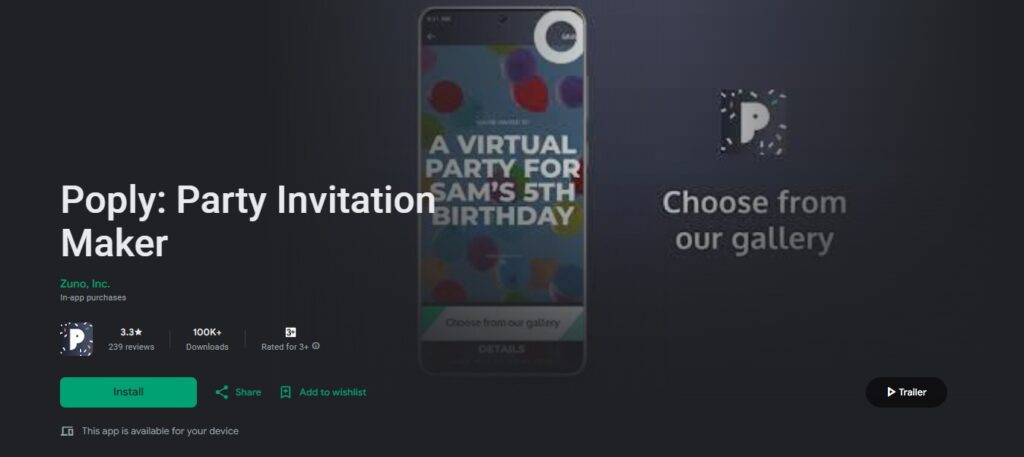
Poply revolutionizes digital invitation creation by offering full-screen, interactive invitations that immerse guests in the event experience moving beyond traditional static invitation designs to create truly engaging party announcements for Android users.
Poply’s Interactive Innovation
Immersive Invitation Experience: Poply’s templates are full-screen, interactive, and put your guests into the experience Poply – Create free online invitations – send with text & email, creating a more engaging alternative to traditional paper-style digital invitations:
- Full-screen invitation display optimized for mobile viewing and interaction
- Interactive elements that respond to guest engagement and create memorable experiences
- Video and photo integration allowing custom media uploads or professional gallery selections
- Dynamic invitation templates that adapt to different screen sizes and devices
- Modern design aesthetic focusing on contemporary celebration styles
Poply Limitations
- Smaller template library compared to design-focused apps like 1Invites or Canva
- Interactive features require reliable internet connection for optimal guest experience
- Limited offline functionality for invitation creation and editing
- Focus on digital delivery may not suit users prioritizing print invitations
- Free tier restrictions may limit access to premium interactive features
Poply Pricing
- Free Tier: Basic invitation templates, essential RSVP tracking, standard delivery options
- Premium Features: Enhanced template access, advanced customization tools, ad-free experience
#6: Promeo – Creative Video and Static Invitation Maker
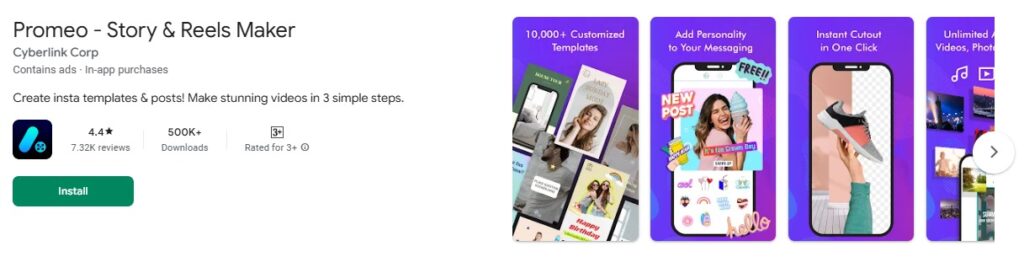
Promeo stands out as a versatile invitation maker that’s free and available for both iOS and Android users, offering the perfect balance between hundreds of premade template options and ultimate customization.
Promeo’s Unique Features
Video Invitation Capabilities:
- Dynamic video invitation templates with motion graphics and animations
- Music integration allows background soundtracks for video invitations
- Social media optimization with templates designed for Instagram Stories, TikTok, and Facebook
- Easy video editing tools for adding personal videos and photos
- Export options for both static images and video formats
Creative Design Tools:
- 500+ birthday invitation templates with modern, trendy designs
- Advanced photo editing with filters, effects, and background removal
- Text animation effects for dynamic invitation elements
- Sticker and emoji integration for playful, modern designs
- AI-powered design suggestions based on celebration type and age group
Pricing
- Free Version: Access to basic templates and editing tools
- Premium Subscription ($4.99/month): Unlimited templates, advanced features, no watermarks
#7: Punchbowl – Digital Invitation and RSVP Specialist
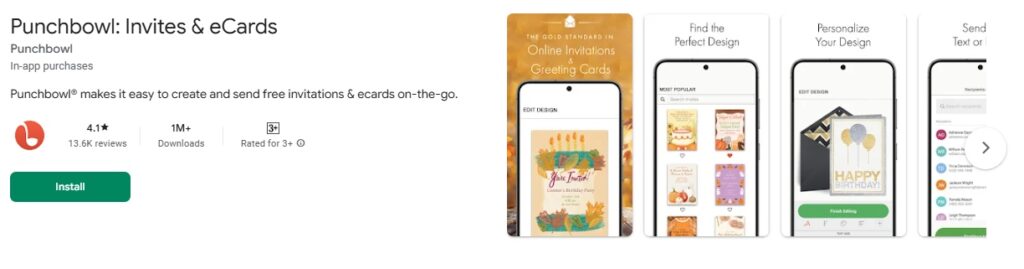
Punchbowl makes it easy to create and send free online invitations and ecards instantly by text message or email, with comprehensive RSVP tracking.
Punchbowl’s Digital Excellence
Advanced RSVP Management:
- Real-time RSVP tracking with instant notifications
- Guest messaging system for party coordination
- Automatic reminder system for non-responders
- Plus-one management and dietary restriction tracking
- Integration with Android contacts and calendar apps
Template Collection:
- 350+ birthday invitation designs optimized for digital delivery
- Age-specific categories from a baby’s first birthday to milestone celebrations
- Seasonal and trending designs are updated regularly
- Mobile-first design ensuring perfect display on all Android devices
Features & Pricing
- Free Tier: Basic templates, essential RSVP tracking, standard delivery options
- Premium Subscription ($3.99/month): Ad-free experience, premium templates, advanced analytics
#8: Paperless Post – Elegant Digital Invitations
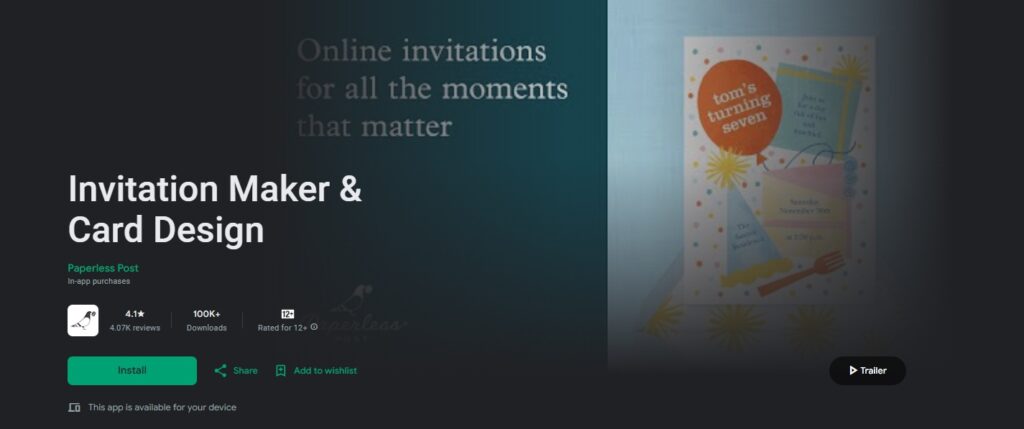
Paperless Post offers customizable online invitations, greeting cards, and flyers with distinctive, customizable designs that can be created and sent on desktop, mobile, or with their free app for iOS and Android.
Paperless Post’s Elegant Approach
Premium Design Focus:
- Designer collaborations featuring exclusive birthday invitation collections
- Luxury aesthetic with sophisticated typography and color schemes
- Adult-focused designs perfect for milestone birthdays and elegant celebrations
- High-end finishes like foil effects and premium paper textures in digital format
- Brand partnerships with renowned designers and lifestyle brands
Professional Features:
- Advanced customization tools for typography, spacing, and layout
- Premium card stock simulation for digital invitations
- Professional guest management with detailed analytics
- White-glove customer service for premium subscribers
- Corporate event capabilities for business birthday celebrations
Pricing
- Free Templates: Limited selection with basic customization
- Premium Plans ($6-12/month): Full designer collection access, advanced features
#9: Invitation Maker & Card Design – All-in-One Solution

This digital invitation and card maker offers text or email delivery with RSVP tracking and event management capabilities.
Comprehensive Design Platform
Multi-Purpose Design Tools:
- Birthday invitation templates alongside other celebration categories
- Card design capabilities for matching thank you cards and party favors
- Event management tools, including guest list organization
- Social media integration for easy sharing across platforms
- Print and digital export options for flexible distribution
User-Friendly Interface:
- Simplified editing tools designed for quick invitation creation
- Pre-designed color schemes and font combinations
- Photo integration with basic editing capabilities
- Template customization with drag-and-drop functionality
Pricing Structure
- Free Version: Basic templates and editing tools
- Pro Version ($2.99 one-time): Premium templates, advanced features, no ads
#10: Birthday Invitation Card Maker – Specialized Birthday Focus

This dedicated birthday invitation maker was updated and focuses specifically on birthday card and invitation creation with personal touch capabilities.
Birthday-Specific Features
Specialized Templates:
- 250+ birthday-only invitation designs
- Age-appropriate categorization from toddlers to seniors
- Theme-based collections, including popular characters and trends
- Custom photo integration for personalized birthday invitations
- Easy text editing with birthday-specific wording suggestions
Simple Workflow:
- Step-by-step invitation creation process
- Quick template selection with preview capabilities
- One-tap sharing to messaging apps and social media
- Basic RSVP tracking through integrated contact management
- Lightweight app design for older Android devices
Pricing
- Completely Free: No subscription required, supported by minimal ads
- In-app Purchases: Premium template packs ($0.99-$2.99 each)
Quick Comparison: Birthday Invitation Maker Apps for Android 2026
| App | Templates | Pricing | Best For | Key Strength | Android Integration |
|---|---|---|---|---|---|
| 1Invites | 1,000+ | Free/$19.99/yearly | Overall best choice | Birthday specialization | Excellent |
| Canva | 800+ | Free/$14.99/mo | Design versatility | General design platform | Very Good |
| Adobe Express | 600+ | Free/$9.99/mo | Professional quality | Industry-standard tools | Good |
| Evite | 400+ | Free/$4.99/mo | Digital delivery | RSVP management | Very Good |
| InviteShop | 300+ | $2.99 one-time | Budget users | Low cost | Good |
| Promeo | 500+ | Free/$4.99/mo | Video invitations | Animation capabilities | Very Good |
| Punchbowl | 350+ | Free/$3.99/mo | RSVP tracking | Guest management | Excellent |
| Paperless Post | 400+ | Free/$6-12/mo | Elegant designs | Luxury aesthetics | Good |
| Invitation Maker | 200+ | Free/$2.99 one-time | Multi-purpose | Versatility | Good |
| Birthday Card Maker | 250+ | Free with IAP | Birthday focus | Simplicity | Good |
How to Create Birthday Invitations using the Invitation Maker Apps for Android: Step-by-Step Guide
Creating stunning birthday invitations on your Android device becomes effortless when you follow this systematic approach to creating birthday party invites that work across all the top invitation maker apps.
1: Choose Your App and Template
- Download your selected app from the Google Play Store
- Create an account or sign in with Google for cloud sync benefits
- Browse template categories looking for age-appropriate designs
- Use search filters to narrow down options by theme, color, or style
- Preview templates in full-screen mode before selecting
2: Customize Your Design
- Add the birthday person’s photo using high-resolution images for best results
- Edit text elements starting with the birthday person’s name and age
- Include essential details: date, time, location, and RSVP information
- Adjust colors and fonts to match the celebration theme
- Position design elements for balanced, professional composition
3: Enhance with Advanced Features
- Apply filters or effects to photos for a cohesive design aesthetic
- Add decorative elements like borders, stickers, or graphics
- Include special instructions for themed parties or gift preferences
- Create multiple versions for different guest groups if needed
- Preview the final design on different screen sizes
4: Optimize for Distribution
- Choose appropriate file format: PDF for print, PNG for digital sharing
- Select resolution settings based on the distribution method
- Test print preview if planning physical invitations
- Create backup copies in cloud storage for future access
- Export in multiple formats for various sharing options
5: Distribute and Manage Responses
- Send digital invitations via messaging apps, email, or social media
- Set up RSVP tracking using app-integrated features or external links
- Schedule reminder messages for guests who haven’t responded
- Monitor responses and update guest lists accordingly
- Share final details and any last-minute changes with confirmed guests
How to Choose the Right Birthday Invitation App for Your Needs?
Selecting the optimal Android birthday invitation app requires matching app capabilities with your specific requirements, technical comfort level, and celebration goals.
Decision Framework for App Selection
Primary Use Case Analysis:
- For Families with Regular Birthday Celebrations: 1Invites provides the best long-term value with its comprehensive template library, age-intelligent recommendations, and party planning integration. The subscription cost justifies itself through regular use and superior results.
- For Occasional Birthday Party Planners: Canva’s extensive free tier offers good value for infrequent users who need decent quality without a subscription commitment. The general design focus provides versatility beyond birthday invitations.
- For Professional Event Planners: Adobe Express delivers industry-standard quality essential for professional reputation and client satisfaction. The higher cost reflects professional-grade capabilities and output quality.
- For Digital-First Celebrations: Evite excels when invitation distribution and guest management take priority over design customization. Ideal for tech-savvy families and digital-native generations.
- For Budget-Conscious Users: InviteShop provides basic functionality at minimal cost, suitable for simple celebrations where design sophistication isn’t essential.
Technical Requirement Considerations
Device Capability Assessment:
- High-end Android devices can handle all apps effectively, making feature comparison the primary selection criterion
- Mid-range devices work well with 1Invites, Canva, and Evite, but may struggle with Adobe Express’s resource requirements
- Older Android devices perform best with 1Invites’ optimized performance and InviteShop’s minimal requirements
- Limited storage devices benefit from 1Invites’ efficient caching and InviteShop’s minimal space usage
- Data-limited plans work better with 1Invites’ compression and InviteShop’s offline capabilities
User Experience Preferences:
- Design control enthusiasts prefer 1Invites or Adobe Express for advanced customization capabilities
- Simplicity seekers choose Evite or InviteShop for streamlined, template-based workflows
- Feature-rich preference leads to 1Invites for comprehensive birthday-specific tools
- Collaboration needs to direct users toward Canva or 1Invites for multi-user editing capabilities
- Learning curve tolerance determines whether Adobe Express complexity or InviteShop simplicity fits better
If you’re overwhelmed by choices, compare the Birthday Invitation Maker Apps for Android based on your goals, whether that’s ease, budget, or design quality.
Frequently Asked Questions About Android Birthday Invitation Apps
1Invites and InviteShop perform exceptionally well on older Android devices due to optimized resource usage and efficient caching systems. 1Invites specifically optimizes for Android 8.0 and newer, while maintaining functionality on older versions through lightweight mode. InviteShop’s minimal resource requirements make it suitable for devices with limited RAM or storage.
1Invites handles this best with smart export options that automatically optimize files for different use cases. Select “Print Quality” for 300 DPI PDF exports suitable for professional printing, or “Digital Sharing” for compressed formats optimized for messaging apps and social media.
1Invites leads in teenage birthday templates with age-intelligent recommendations. Their teen category includes modern design styles, popular color schemes, and contemporary typography that resonates with the 13-17 year age group. Canva offers a good variety but requires manual searching through general templates to find teen-appropriate designs.
1Invites integrates comprehensive party planning tools, including RSVP tracking, guest messaging. This makes it the only app combining design excellence with complete party planning functionality. Other apps focus primarily on design creation, requiring separate tools for guest management.
1Invites offers the most comprehensive children’s birthday collection with age-specific categories, popular character themes, and child-friendly design elements. Evite includes licensed character themes popular with children, though customization options remain limited compared to 1Invites. Other apps provide children’s templates but lack the specialized focus and variety of birthday-specific platforms.
Conclusion: Choosing Your Ideal Android Birthday Invitation App
The Android landscape for Birthday Invitation Maker Apps for Android in 2026 offers excellent options for every user type, budget, and celebration style. 1Invites emerges as the clear leader for users seeking the optimal balance of design quality, birthday-specific features, and comprehensive party planning integration.
Key Takeaways for App Selection:
Choose 1Invites if you want:
- The most comprehensive birthday-specific template library
- Professional design quality with easy customization
- Integrated party planning and RSVP management
- Superior Android optimization and performance
- Best value for families with regular birthday celebrations
Choose Canva if you need:
- Versatile design platform beyond birthday invitations
- Strong collaboration features for family planning
- Extensive tutorial resources and community support
- Good free tier for occasional use
Adobe Express for:
- Professional-grade design requirements
- Integration with Adobe Creative Cloud workflow
- Industry-standard quality for commercial use
- Advanced typography and color management
Select Evite when:
- Digital delivery and guest management are priorities
- Traditional invitation aesthetics appeal to your audience
- Established platform reliability matters most
- RSVP tracking takes precedence over design customization
InviteShop for:
- Budget-conscious celebration planning
- Simple, straightforward invitation creation
- One-time purchase preference over subscriptions
- Basic functionality without advanced features
Whether you’re planning intimate family gatherings or large milestone celebrations, the right birthday invitation Android app transforms invitation creation from a stressful task into an enjoyable, creative process that builds anticipation and brings people together in celebration.