
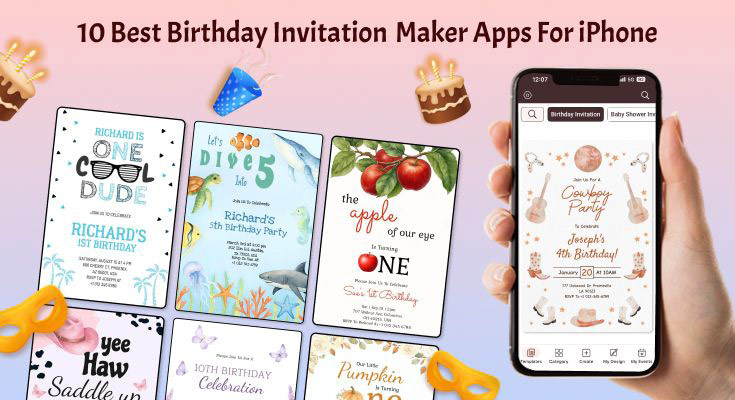
Creating memorable birthday invitations has never been easier with the best invitation card maker apps for iPhone, offering professional-quality designs with user-friendly interfaces. If you’re ready to start designing, try this easy-to-use birthday invitation maker for iPhone that offers high-quality templates and intuitive editing tools. After testing dozens of apps, we’ve identified the top 10 birthday invitation maker apps for iPhone that deliver exceptional results in 2026.
List of Top 10 Birthday Invitation Maker Apps for iPhone
1. 1Invites – Best Template Variety and Professional Quality
2. Canva – Best Overall Birthday Invitation Maker
3. Evite – Best for Event Management Integration
4. Greetings Island – Best Free Option
5. Birthday Invitation Maker by BIM – Best for Children’s Parties
6. Apple Invites – Best Native iOS Integration
7. Paperless Post – Best for Elegant Adult Parties
8. Punchbowl – Best for Group Celebrations
9. Hobnob – Best for Quick Invitations
10. Adobe Express – Best for Creative Control
1. 1Invites – Best Template Variety and Professional Quality

Rating: 4.9/5 | Price: Free with premium features
1Invites stands out with over 5,000 creative, printable invitation templates, making it the platform with the most extensive template library. The app combines professional design quality with user-friendly functionality, making it ideal for users who want maximum template variety without compromising on design sophistication.
Key Features:
- Massive Template Collection: Over 5,000 creative, printable birthday invitation templates covering every occasion and style
- Professional Font Library: Extensive font selection plus the ability to upload custom fonts
- Multi-Format Export: Download designs in JPG, PNG, or PDF format for maximum flexibility
- Design Asset Library: Customize designs using static objects, stickers, and icons
- My Designs Dashboard: Save and re-edit designs under the ‘My Designs’ section
- Print-Ready Output: High-quality image and PDF files optimized for professional printing
- No Design Skills Required: Template editor is easy to use – swap out text, images, icons, and add data with just one tap
1Invites Offers Collection of Birthday-Specific Templates
While choosing the perfect template is important, crafting the right message is equally crucial. Check out these birthday invitation wording examples for all ages to ensure your invitation text is as compelling as your design.
Strengths:
1Invites excels in template diversity and professional output quality. The massive template library ensures users can find the perfect design for any birthday celebration theme or age group. The combination of easy-to-use editing tools with professional-grade output makes it accessible to beginners while satisfying advanced users’ quality expectations.
Limitations:
The extensive template library can be overwhelming for users who prefer simpler choices. Some premium templates and advanced features require subscription access.
Best For:
Users who prioritize having the widest selection of professional templates and want flexibility in export formats. Perfect for those planning themed parties who need specific design aesthetics or professional-quality printed invitations.
CASE_STUDY: Jessica, a mother of three, used 1Invites to create invitations for her daughter’s unicorn-themed birthday party. She reported saving over $45 compared to traditional printed invitations while achieving better design quality than expected from a free app.
2. Canva – Best Overall Birthday Invitation Maker

Rating: 4.8/5 | Price: Free with premium options
Canva is an all-in-one visual communication platform that empowers the world to design, and its iPhone app delivers exceptional birthday invitation creation capabilities. With over 1000 birthday-themed templates, Canva offers the most comprehensive selection for every age group and party theme.
Key Features:
- Massive Template Library: Over 1000 birthday invitation templates ranging from whimsical children’s designs to sophisticated adult party invitations
- AI-Powered Design Assistant: Smart suggestions for layouts, colors, and fonts based on your content
- Professional Typography: Access to premium fonts and text effects that elevate invitation quality
- Photo Integration: Seamless camera roll integration with advanced photo editing tools
- Brand Kit: Save custom colors, fonts, and logos for consistent invitation styling
- Collaboration Features: Share designs with family members for input and approval
- Multiple Export Options: High-resolution downloads for print or optimized files for digital sharing
Strengths:
Canva excels in template diversity and professional design quality. The app’s intuitive drag-and-drop interface makes complex design tasks accessible to beginners, while advanced users appreciate the granular control over every design element. The AI-powered suggestions significantly reduce design time while maintaining quality standards.
Limitations:
Some premium templates and design elements require a Canva Pro subscription ($12.99/month). The extensive feature set can initially overwhelm new users, requiring a brief learning curve.
Best For:
Users seeking professional-quality results with maximum customization flexibility. Ideal for those planning multiple events throughout the year who can benefit from the subscription model.
“Canva has revolutionized invitation design by making professional-quality tools accessible to everyone. Their template library is unmatched in both quantity and quality.” – Sarah Martinez, Event Planning Specialist.
3. Evite – Best for Event Management Integration

Rating: 4.6/5 | Price: Free with premium features
Evite combines invitation creation with comprehensive event management, making it the top choice for hosts who want all-in-one party planning capabilities. The app streamlines the entire invitation process from design to guest management.
Key Features:
- Integrated RSVP Management: Automatic guest tracking with real-time updates
- Event Timeline Creation: Built-in planning tools for party scheduling
- Guest Communication Hub: Direct messaging with attendees through the app
- Reminder Automation: Automatic reminder sending to non-respondents
- Gift Registry Integration: Link gift registries directly to invitations
- Photo Sharing: Post-event photo sharing with all guests
- Calendar Synchronization: Automatic calendar entries for hosts and guests
Strengths:
Evite’s strength lies in its comprehensive event management ecosystem. The seamless integration between invitation design and guest management eliminates the need for multiple apps. The RSVP tracking is particularly robust, providing detailed analytics on response rates and guest preferences.
Limitations:
Template variety is more limited compared to design-focused apps. Some advanced design customization options require the premium subscription.
Best For:
Hosts planning larger birthday parties who need comprehensive guest management tools. Perfect for annual birthday celebrations where guest list management is crucial.
4. Greetings Island – Best Free Option
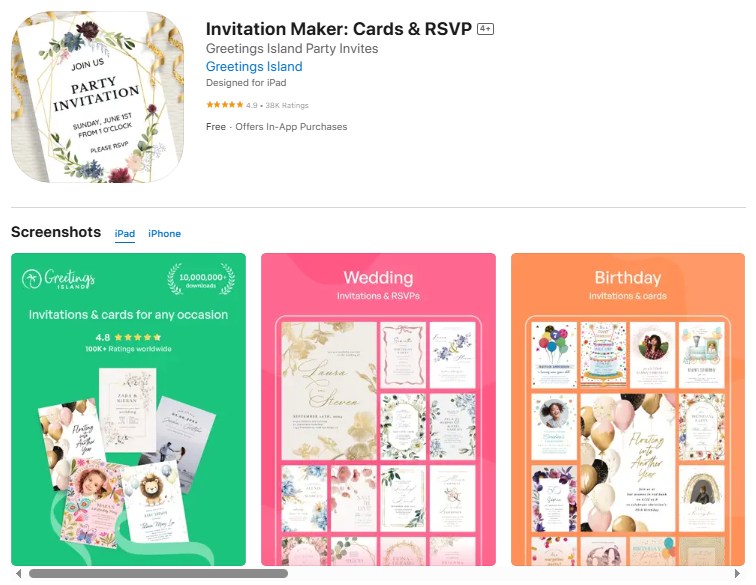
Rating: 4.4/5 | Price: Completely free
Greetings Island offers a complimentary invitation template, graphic design tool, and online card maker, making it the best completely free option for birthday invitations. Despite being free, the app doesn’t compromise on design quality or functionality.
Key Features:
- 100% Free Access: No premium subscriptions or hidden costs
- High-Quality Templates: Professional designs suitable for all age groups
- Custom Photo Integration: Easy photo uploading and positioning tools
- Text Customization: Multiple font options and text styling capabilities
- Print-Ready Output: High-resolution downloads optimized for printing
- Social Media Integration: Direct sharing to major social platforms
- Offline Design Capability: Work on invitations without an internet connection
Strengths:
The complete free access makes Greetings Island exceptionally accessible. The template quality rivals paid alternatives, and the user interface is clean and intuitive. The offline capability is particularly valuable for users with limited data plans.
Limitations:
Smaller template library compared to premium alternatives. Advanced design features like animations or video integration are not available.
Best For:
Budget-conscious users who still want professional-quality results. Ideal for occasional party planners who don’t need advanced features.
5. Birthday Invitation Maker by BIM – Best for Children’s Parties

Rating: 4.3/5 | Price: Free with in-app purchases
Birthday Invitation Maker: Your go-to invitation maker app for birthday wishes. BIM is an ultra-modern iOS app for birthday wishes specifically designed for creating enchanting children’s birthday invitations with age-appropriate themes and designs.
Key Features:
- Age-Specific Templates: Designs categorized by age groups from toddlers to teens
- Animated Elements: Fun animations and interactive design elements
- Character Integration: Popular cartoon and movie character themes
- Parent-Friendly Interface: Simplified controls designed for busy parents
- Quick Share Options: One-tap sharing to parent group chats and social media
- Multiple Size Formats: Optimized layouts for different sharing platforms
- Sticker and Emoji Library: Extensive collection of child-friendly decorative elements
Strengths:
The app excels in creating magical, child-focused designs that capture the excitement of children’s birthday parties. The animated elements add a special touch that static invitation makers cannot match. The age-specific categorization saves significant browsing time.
Limitations:
Limited adult party template options. Some premium character themes require additional purchases.
Best For:
Parents planning children’s birthday parties who want invitations that match their child’s excitement and personality.
6. Apple Invites – Best Native iOS Integration
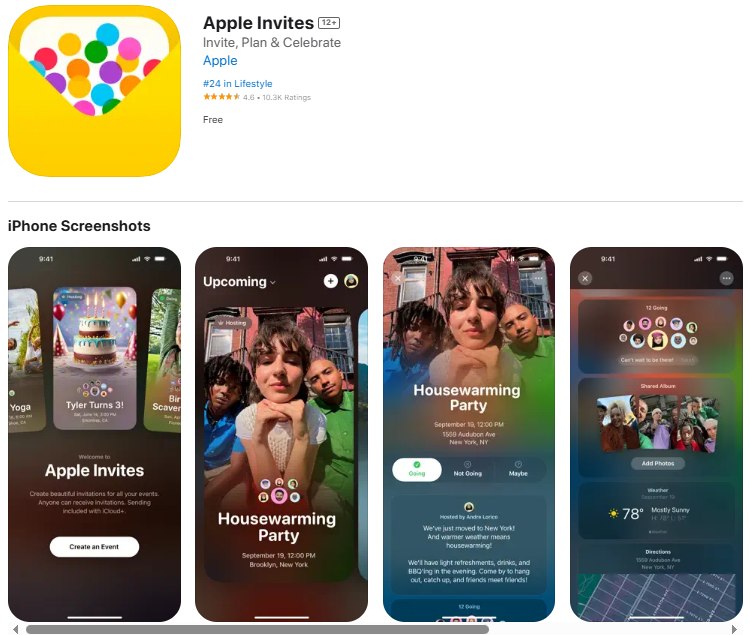
Rating: 4.7/5 | Price: Free
Apple Invites is Apple’s newest addition to their app ecosystem, designed specifically for creating custom invitations with seamless iOS integration. The app leverages Apple’s design philosophy to provide an elegant and intuitive invitation creation experience.
Key Features:
- Native iOS Integration: Seamless integration with iPhone contacts, photos, and calendar
- Apple Design Language: Clean, minimalist interface following Apple’s design principles
- iCloud Synchronization: Automatic backup and sync across all Apple devices
- High-Quality Templates: Curated collection of sophisticated design templates
- Easy Customization: Simple tap-to-edit interface for text, photos, and design elements
- Privacy-Focused: Enhanced privacy protections following Apple’s privacy standards
- Optimized Performance: Smooth performance across all iPhone models with iOS 18+
Strengths:
Perfect integration with the Apple ecosystem makes invitation creation effortless for iPhone users. The app’s native performance and iCloud sync provide a seamless experience across devices. Apple’s focus on privacy ensures guest information remains secure.
Limitations:
Requires iOS 18 or later, limiting compatibility with older iPhones. Template variety is smaller compared to third-party alternatives.
Best For:
iPhone users who prioritize seamless ecosystem integration and privacy. Ideal for those who prefer Apple’s design aesthetic and want guaranteed compatibility with iOS features.
7. Paperless Post – Best for Elegant Adult Parties

Rating: 4.5/5 | Price: Free with premium designs
Paperless Post specializes in sophisticated, elegant invitations that mirror traditional stationery quality. The app is perfect for upscale birthday celebrations and milestone events requiring refined design aesthetics.
Key Features:
- Designer Collaborations: Templates created by renowned stationery designers
- Luxury Aesthetics: High-end designs mimicking premium paper invitations
- Envelope Liner Options: Digital envelope customization for added sophistication
- RSVP Tracking: Built-in guest management with detailed response analytics
- Postmark Feature: Realistic postmark effects for an authentic stationery feel
- Thank You Card Integration: Matching thank you card designs for complete coordination
- Premium Paper Options: Option to order physical versions of digital designs
Strengths:
Unmatched elegance in design quality with sophisticated templates that rival premium stationery. The attention to detail and luxury aesthetics make it perfect for milestone birthdays and formal celebrations.
Limitations:
Premium designs require coin purchases. Limited options for casual or children’s party themes.
Best For:
Hosts planning elegant adult birthday celebrations, milestone birthdays, or formal parties where sophisticated design is essential.
8. Punchbowl – Best for Group Celebrations
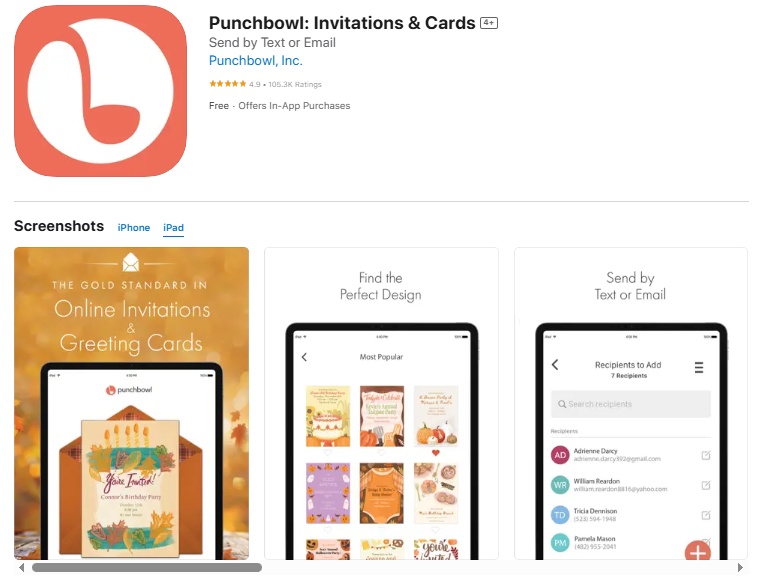
Rating: 4.4/5 | Price: Free with premium features
Punchbowl focuses on making group event planning effortless with robust collaboration tools and comprehensive guest management features. The app excels at coordinating larger birthday celebrations with multiple organizers.
Key Features:
- Group Planning Tools: Multiple organizers can collaborate on event details
- Advanced RSVP System: Detailed guest responses with meal preferences and special requests
- Gift Coordination: Built-in gift registry and coordination to avoid duplicates
- Photo Sharing Hub: Dedicated space for guests to share party photos
- Reminder Management: Automated reminders for both hosts and guests
- Budget Tracking: Expense tracking and splitting tools for group-planned events
- Custom Messaging: Personalized messages to different guest groups
Strengths:
Excellent for complex birthday celebrations requiring multiple organizers. The group collaboration features and advanced RSVP system make large party coordination manageable and efficient.
Limitations:
The Interface can feel cluttered with numerous features. Some collaboration features require all participants to have the app installed.
Best For:
Groups planning large birthday celebrations, family reunions, or milestone parties where multiple people need to coordinate planning responsibilities.
9. Hobnob – Best for Quick Invitations

Rating: 4.3/5 | Price: Free with premium options
Hobnob prioritizes speed and simplicity, allowing users to create and send beautiful invitations in minutes. The app is designed for hosts who need professional results without extensive customization time.
Key Features:
- Quick Template Selection: Streamlined template browsing for fast decisions
- One-Tap Customization: Simplified editing tools for rapid personalization
- Instant Delivery: Immediate invitation sending via text or email
- Smart Reminders: Automatic guest reminders 24 hours and 1 hour before events
- Simple RSVP: Easy yes/no responses without requiring guest accounts
- Contact Integration: Direct access to iPhone contacts for guest list creation
- Event Updates: Send real-time updates to all guests instantly
Strengths:
Exceptional speed from concept to delivery makes Hobnob perfect for last-minute party planning. The simplified interface eliminates decision paralysis while still producing attractive invitations.
Limitations:
Limited customization options compared to design-focused alternatives. Template variety is smaller than comprehensive design platforms.
Best For:
Busy hosts who need attractive invitations quickly without extensive design work. Perfect for impromptu celebrations or time-sensitive party planning.
10. Adobe Express – Best for Creative Control
Rating: 4.6/5 | Price: Free with premium features
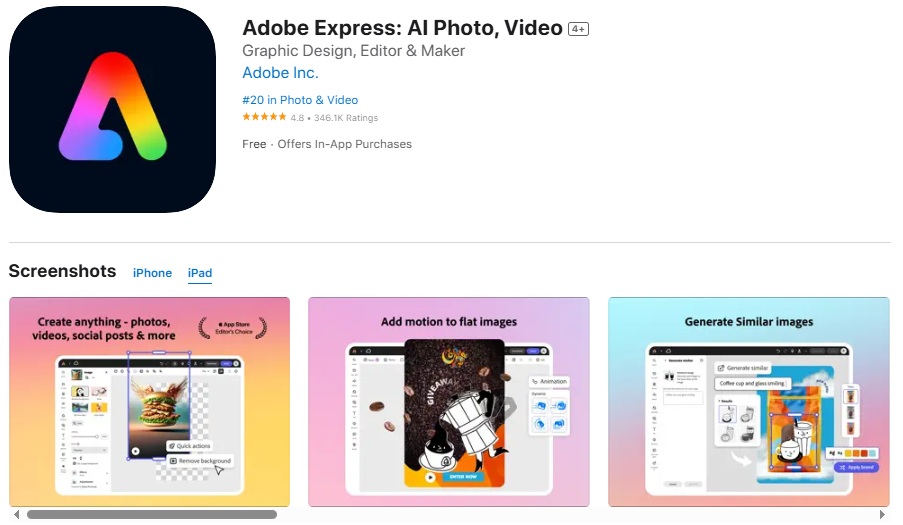
Adobe Express brings professional design tools to iPhone users, offering advanced creative control for those who want to craft truly unique birthday invitations. The app offers design flexibility while maintaining a user-friendly interface.
Key Features:
- Professional Design Tools: Advanced editing capabilities rivaling desktop design software
- Custom Asset Library: Upload and manage personal design elements and fonts
- Animation Support: Create animated invitations with motion graphics
- Brand Consistency: Save brand colors, fonts, and logos for consistent styling
- Advanced Photo Editing: Professional photo manipulation tools integrated into the design workflow
- Template Remixing: Combine elements from multiple templates for unique designs
- Cloud Storage: Automatic project saving with Adobe Creative Cloud integration
Strengths:
Offers the most comprehensive design tools available on iPhone for creating invitations. The professional-grade features allow for complete creative freedom while remaining accessible to non-designers.
Limitations:
Advanced features require an Adobe Creative Cloud subscription. The extensive toolset may overwhelm users seeking simple invitation creation.
Best For:
Creative individuals who want maximum design control and professional results. Ideal for unique themed parties requiring custom design elements or branding consistency.
Quick Comparison: Top Birthday Invitation Maker Apps for iPhone
| App Name | Rating | Price | Best Feature | Template Count | RSVP Tracking | Print Quality |
|---|---|---|---|---|---|---|
| 1Invites | 4.9/5 | Free/Premium | Template Variety | 5,000+ | Yes | Excellent |
| Canva | 4.8/5 | Free/Premium | Design Tools | 15,000+ | Limited | Excellent |
| Evite | 4.6/5 | Free/Premium | Event Management | 1,000+ | Advanced | Good |
| Greetings Island | 4.4/5 | Free | Cost | 500+ | Basic | Good |
| BIM | 4.3/5 | Free/IAP | Children’s Themes | 800+ | Basic | Good |
| Apple Invites | 4.7/5 | Free | iOS Integration | 200+ | Yes | Excellent |
| Paperless Post | 4.5/5 | Free/Premium | Elegance | 2,000+ | Advanced | Excellent |
| Punchbowl | 4.4/5 | Free/Premium | Group Planning | 1,500+ | Advanced | Good |
| Hobnob | 4.3/5 | Free/Premium | Speed | 600+ | Basic | Good |
| Adobe Express | 4.6/5 | Free/Premium | Creative Control | 3,000+ | Limited | Excellent |
How to Make Birthday Invitations using the Invitation Maker Apps for iPhone?: Step-by-Step Guide
Creating stunning birthday invitations becomes effortless when you follow a systematic approach. This complete guide to creating perfect birthday party invites walks you through the entire process from initial planning to final delivery.
Step 1: Plan Your Party Details
Before opening any app, gather all essential information to streamline the design process:
- Date and Time: Confirm the exact celebration date and time, including start and end times
- Location: Finalize venue address with specific instructions for finding the location
- Theme: Decide on party theme, color scheme, and overall aesthetic direction
- Guest Count: Estimate attendee numbers for planning purposes
- Special Instructions: Note any special requirements like dress code, gift preferences, or dietary considerations
Step 2: Choose Your App Based on Priorities
Select the most appropriate app based on your specific needs:
- For Maximum Templates: Choose 1Invites for the largest selection with 5,000+ options
- For Design Flexibility: Select Canva for advanced customization capabilities
- For Event Management: Pick Evite for comprehensive party planning integration
- For Budget Consciousness: Use Greetings Island for quality, free options
- For Children’s Parties: Opt for the Birthday Invitation Maker for kid-friendly themes
Step 3: Select and Customize Your Template
Navigate through your chosen app’s template library efficiently:
- Browse by Category: Use age, theme, or color filters to narrow options quickly
- Preview Multiple Options: Save 3-5 favorite templates before making final decisions
- Consider Your Audience: Match template sophistication to guest demographics and party formality
- Check Customization Options: Ensure selected templates allow necessary text and photo modifications
Step 4: Personalize Your Design
Transform the template into a unique invitation reflecting your celebration:
- Upload Photos: Add high-quality, well-lit photos of the birthday person or party theme elements
- Customize Text: Replace placeholder text with your specific party details using clear, readable fonts
- Adjust Colors: Modify color schemes to match party decorations or personal preferences
- Add Personal Touches: Include special messages, quotes, or inside jokes that resonate with your guests
Step 5: Review and Perfect Your Design
Ensure your invitation meets professional standards before sending:
- Proofread Thoroughly: Check all text for spelling, grammar, and accuracy of dates, times, and addresses
- Test Readability: Verify text is legible on both phone screens and printed formats
- Check Photo Quality: Ensure images are sharp and properly positioned within design elements
- Validate Information: Double-check all party details for accuracy and completeness
Step 6: Export and Share Your Invitations
Deliver your invitations through the most effective channels:
- Choose Export Format: Select appropriate file format (JPG for social media, PDF for printing, PNG for transparency)
- Set Quality Settings: Use high resolution for printed invitations, optimized resolution for digital sharing
- Test Delivery Methods: Send test invitations to yourself to verify appearance across different platforms
- Track Responses: Set up RSVP systems and monitor guest responses for party planning accuracy
Which Birthday Invitation App Should You Choose for Your Needs?
Selecting the optimal birthday invitation app depends on your specific requirements, technical comfort level, and event complexity. Consider these key factors when making your decision:
- Design Priority Users: If visual impact is paramount, Canva offers the most sophisticated design tools, while 1Invites provides the largest template variety with over 5,000 options. Both deliver professional-quality results with different approaches to customization.
- Event Management Focus: Hosts managing complex guest lists and party logistics benefit most from Evite’s integrated approach. The combined invitation and event management capabilities streamline the entire planning process.
- Budget Considerations: Greetings Island provides exceptional value for cost-conscious users without sacrificing design quality. The completely free model makes it accessible to everyone.
- Template Variety Seekers: 1Invites leads with the most extensive template collection, ensuring you’ll find the perfect design for any birthday theme or age group. The professional output quality rivals premium design software.
- Children’s Party Specialists: Parents planning children’s celebrations will find Birthday Invitation Maker’s age-specific approach and animated elements perfectly suited to creating magical invitations that excite young guests.
What Advanced Features Should You Look for in Birthday Invitation Apps?
Modern birthday invitation apps offer sophisticated features that extend beyond basic design capabilities. Understanding these advanced options helps maximize your chosen app’s potential:
- AI-Powered Personalization: Several apps now incorporate artificial intelligence to suggest design elements, color schemes, and layouts based on your content and preferences. This technology significantly reduces design time while improving results.
- Social Media Integration: Seamless sharing across multiple platforms ensures maximum invitation reach. Look for apps that optimize invitation formats for different social media specifications.
- RSVP Analytics: Advanced apps provide detailed analytics on invitation engagement, including open rates, response times, and demographic breakdowns. This data proves valuable for future event planning.
- Collaborative Design: Apps supporting multi-user editing allow family members to contribute to invitation design, ensuring everyone’s input is incorporated.
- Print Optimization: High-quality print output requires specific resolution and color profile considerations. Premium apps provide print-ready files that maintain quality when professionally printed.
Frequently Asked Questions
Yes, most apps offer high-resolution export options suitable for professional printing. Canva and Greetings Island specifically provide print-ready files with appropriate resolution and color profiles.
1Invites, Canva, Evite, and Greetings Island offer templates suitable for all age groups. Birthday Invitation Maker specializes in children’s parties but has limited adult options.
Free apps may have limitations like watermarks or restricted exports. Premium features typically require subscriptions ranging from $4.99 to $12.99 monthly. Always review pricing structures before committing to premium features.
1Invites offers collaboration features allowing multiple users to edit the same design. Other apps may have limited or no collaboration capabilities.
1Invites provides comprehensive RSVP management built into the app. Other apps may require separate RSVP management solutions or manual tracking.
Conclusion: Making the Right Choice for Your Celebration
The landscape birthday invitation maker apps for iPhone offer exceptional options for every user type and celebration style. With these apps, you can easily turn your photos into stunning invitations and add music to set the party mood, creating personalized experiences that set the perfect tone for memorable celebrations.
Canva emerges as the best overall choice for users prioritizing design flexibility and professional results, while 1Invites leads in template variety with over 5,000 options for maximum design choice. Evite excels for comprehensive event management needs, and budget-conscious users will find Greetings Island delivers surprising quality at zero cost. For even more inspiration, platforms like 1Invites also offer an extensive collection of invitation templates tailored to different themes and age groups.
As digital invitations become increasingly sophisticated, these apps continue evolving to meet user expectations for both functionality and design quality. Whether you’re planning an intimate family gathering or a large celebration, the right iPhone app ensures your birthday invitations reflect the joy and excitement of the upcoming celebration while efficiently managing the practical aspects of party planning.