
Creating memorable invitations has never been easier with the best invitation maker apps available in 2026. Whether you’re planning a wedding, birthday party, corporate event, or casual gathering, digital invitation maker apps offer convenience, customization, and cost-effectiveness that traditional paper invitations simply can’t match. With platforms like the invitation maker app leading the way, creating stunning digital invitations is now within everyone’s reach.
10 Best Invitation Maker Apps in 2026
List of 10 Best Invitation Maker Apps
- 1Invites – Invitation Maker
- Canva – Design Powerhouse for Creative Invitations
- Evite – Pioneer of Digital Invitations
- Paperless Post – Elegant Digital Stationery
- Punchbowl – All-in-One Party Planning Solution
- Hobnob – Modern Social Event Planning
- Adobe Express – Professional Design Platform
- Greenvelope – Eco-Friendly Premium Invitations
- Minted – Designer-Quality Digital Invitations
- Partiful – Best for Casual Text-Based Invitations
1. 1Invites – Invitation Maker

Transform your event planning with 1Invites, the most comprehensive invitation maker app designed specifically for mobile users who demand professional results without the complexity. Whether you’re organizing intimate gatherings or large-scale events, 1Invites delivers everything you need in one powerful, user-friendly application.
Why 1Invites Leads the Market:
- Largest Template Library: Access 10,000+ professionally designed invitation templates covering every event type imaginable
- AI-Powered Smart Design: Revolutionary design assistant that creates personalized recommendations based on your event details
- Cross-Platform Excellence: Seamless experience across Android and iPhone with device-specific optimizations
- Global Accessibility: Full support for 50+ languages, making it perfect for international events
- Professional Analytics: Track invitation performance with detailed insights that help optimize guest engagement
- Business-Ready Features: Custom branding, white-label options, and enterprise-grade collaboration tools
- Multimedia Capabilities: Create stunning video invitations and interactive experiences that wow your guests
- Smart Automation: Automated reminder systems and guest management tools that save hours of manual work
App Advantages: The 1Invites mobile app revolutionizes invitation creation by putting professional design tools directly in your pocket. Unlike web-based alternatives, the app leverages your device’s native capabilities for instant photo integration, contact synchronization, and one-tap sharing across all your favorite platforms.
Get Started Today: Ready to experience the future of digital invitations? Download the 1Invites invitation maker app for Android and discover why millions trust 1Invites for their most important events. iPhone users can create invitations with 1Invites on iPhone and enjoy exclusive iOS features, including Siri integration and Apple Calendar synchronization.
Pricing: Start free with basic features, upgrade to premium at just $19.99/yearly subscription for unlimited access to all professional templates.
2. Canva – Design Powerhouse for Creative Invitations
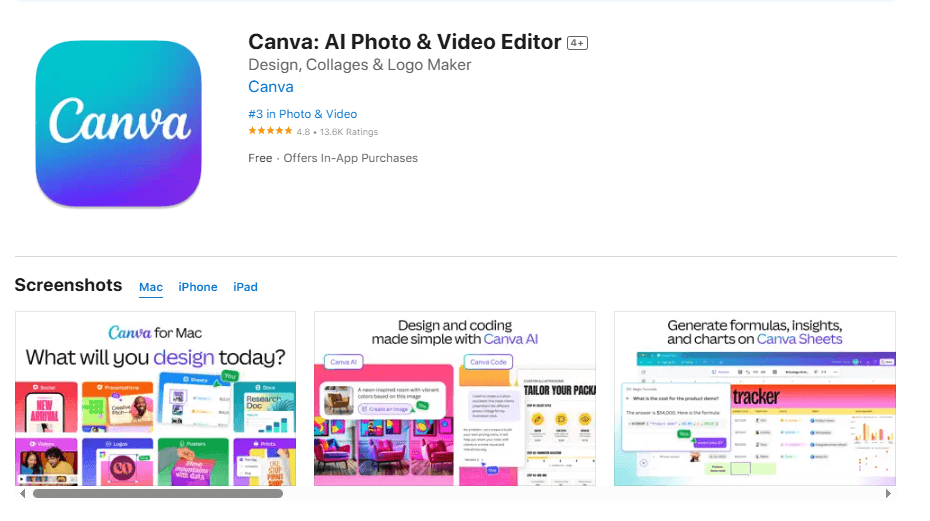
Canva has revolutionized graphic design accessibility, and its invitation creation capabilities exemplify this mission. With over 100 million users globally, Canva offers unparalleled design flexibility and resource availability.
Key Features:
- Extensive stock photo and illustration library
- Professional typography collection
- Brand kit integration
- Team collaboration features
- Print and digital format support
- Animation capabilities
- Custom dimension support
- Social media scheduling integration
- Magic Resize functionality
Pricing: Free tier available, Canva Pro at $12.99/month
Best For: Creative professionals and design enthusiasts requiring extensive customization
3. Evite – Pioneer of Digital Invitations
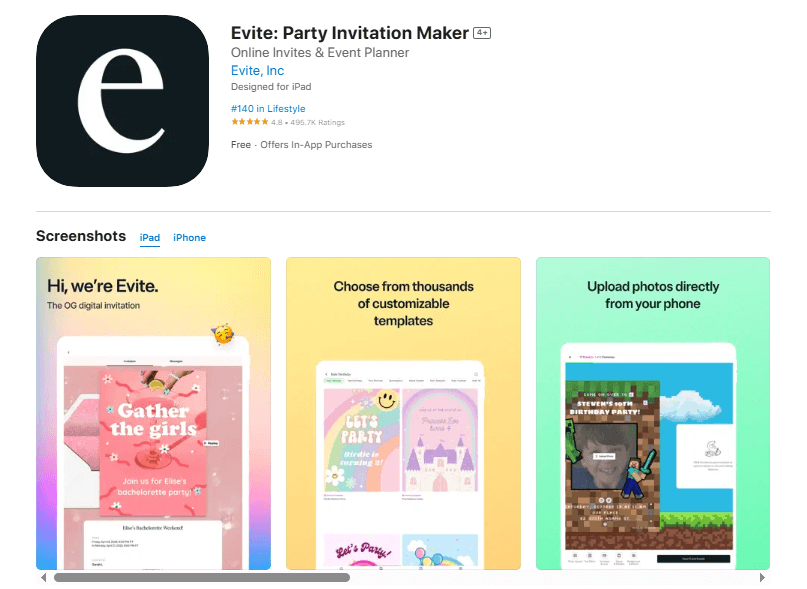
As one of the original digital invitation platforms, Evite has continuously evolved to maintain relevance in the modern marketplace. With over 25 years of experience, Evite combines reliability with innovation.
Key Features:
- Comprehensive RSVP management
- Guest communication tools
- Event planning resources
- Photo sharing capabilities
- Reminder automation
- Gift registry integration
- What-to-bring tracking
- Weather integration
- Custom URL creation
Pricing: Free tier with premium options at $4.99/month
Best For: Traditional users seeking reliable, straightforward invitation solutions
4. Paperless Post – Elegant Digital Stationery

Paperless Post bridges traditional elegance with modern convenience, offering sophisticated designs that rival high-end paper invitations. Their attention to typography and design detail sets them apart in the premium segment.
Key Features:
- Designer collaborations with luxury brands
- Premium paper texture effects
- Custom envelope designs
- Addressing services
- Stamp and postmark effects
- RSVP tracking with detailed analytics
- Guest management tools
- Photo sharing capabilities
- Thank you card automation
- Custom branding options
Pricing: Credit-based system starting at $12 for 10 invitations
Best For: Upscale events requiring sophisticated design aesthetics
5. Punchbowl – All-in-One Party Planning Solution
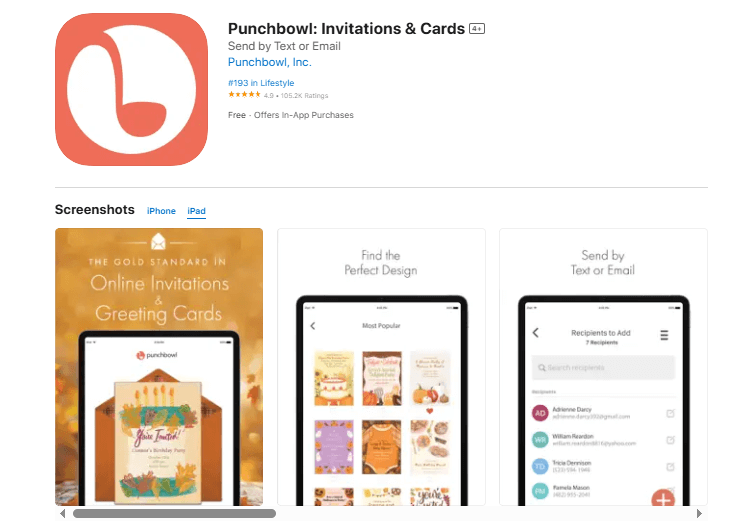
Punchbowl extends beyond invitation creation to comprehensive party planning, making it valuable for complex event coordination. Their integrated approach simplifies multi-faceted event management.
Key Features:
- 500+ celebration-focused templates
- Integrated party planning tools
- Guest list management
- What-to-bring coordination
- Photo sharing capabilities
- Thank you note automation
- Reminder scheduling
- Custom messaging
- Social media integration
- Event timeline creation
Pricing: Free basic plan, premium at $5.99/month
Best For: Comprehensive party planning requiring multiple coordination tools
6. Hobnob – Modern Social Event Planning
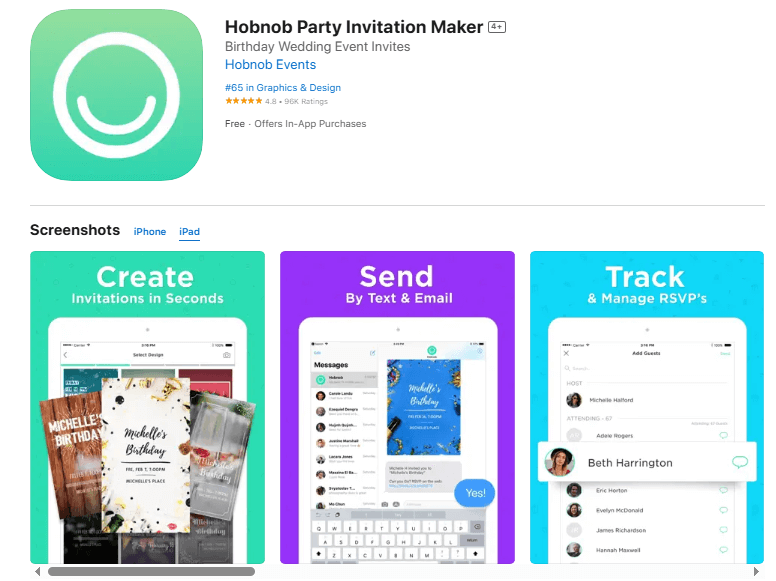
Hobnob represents the next generation of invitation apps, focusing on mobile-first design and social integration. Their contemporary approach appeals to younger demographics and casual event planning.
Key Features:
- Mobile-optimized templates
- Social media-style interface
- Group messaging integration
- Real-time event updates
- Photo and video sharing
- Collaborative guest lists
- Automatic reminders
- Location sharing
- Weather integration
- Quick RSVP options
Pricing: Free with premium features at $2.99/month
Best For: Casual events and younger demographics preferring social media-style interactions
7. Adobe Express – Professional Design Platform

Adobe Express leverages Adobe’s design expertise to provide professional-grade invitation creation tools. Their platform caters to users requiring advanced customization and brand consistency.
Key Features:
- Professional template library
- Advanced editing tools
- Brand guidelines integration
- Custom font uploads
- High-resolution exports
- Animation capabilities
- Multi-format support
- Cloud synchronization
- Team collaboration
- Enterprise features
Pricing: Free tier available, premium at $9.99/month
Best For: Professional designers and businesses requiring brand consistency
8. Greenvelope – Eco-Friendly Premium Invitations

Greenvelope positions itself as the environmentally conscious choice for premium digital invitations. Their platform emphasizes sustainability without compromising design quality or functionality.
Key Features:
- Eco-friendly design philosophy
- Premium template collection
- Custom design services
- Advanced RSVP management
- Guest communication tools
- Detailed analytics
- Multi-language support
- Accessibility features
- White-label options
- Custom branding
Pricing: Starting at $299 for 100 invitations
Best For: Environmentally conscious users seeking premium features and custom design services
9. Minted – Designer-Quality Digital Invitations
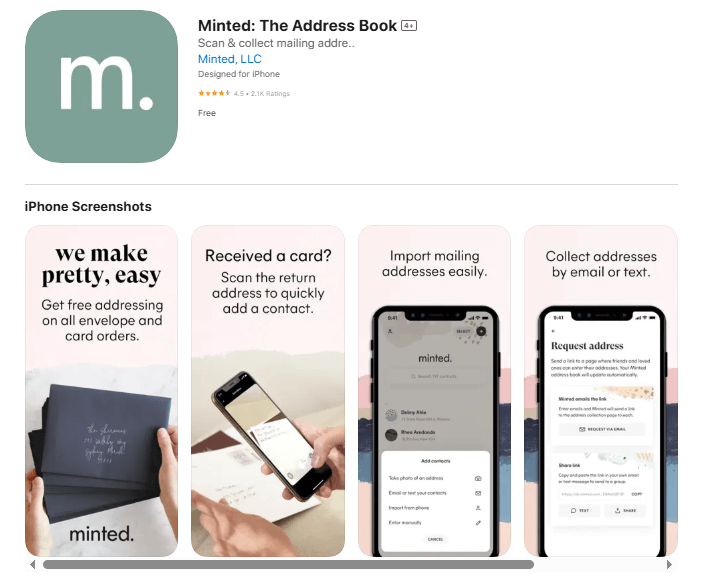
Minted brings its expertise in premium stationery to the digital realm, offering artist-designed templates that maintain the quality associated with their printed products.
Key Features:
- Artist-designed exclusive templates
- Premium customization options
- Foil effect capabilities
- Custom addressing
- RSVP website creation
- Guest management tools
- Matching stationery suite options
- Professional design consultation
- High-quality exports
- Print-to-digital integration
Pricing: Credit-based system starting at $15 for basic invitations
Best For: Users seeking artist-quality designs with premium aesthetic appeal
10. Partiful – Best for Casual Text-Based Invitations

Partiful revolutionizes casual event planning with its text-message-first approach, making it incredibly easy to create and send invitations through SMS while maintaining full RSVP tracking and guest management capabilities.
Key Features:
- Text message invitation distribution
- Instant RSVP tracking via SMS
- Mobile-first design interface
- Event page creation
- Automatic reminder sending
- Guest list management
- Real-time response notifications
Pricing: Completely free with no premium tiers
Best For: Casual parties, last-minute gatherings, younger demographics, users preferring text-based communication over email invitations
Design Tips for Creating Stunning Digital Invitations
Creating professional-quality digital invitations requires understanding design principles, technical considerations, and audience expectations. These guidelines help users maximize their chosen platform’s capabilities while avoiding common pitfalls. For more detailed guidance, check out our complete invitation card design tips guide.
Typography Excellence
- Font selection significantly impacts invitation readability and aesthetic appeal. Choose primary fonts that reflect event tone—elegant serif fonts for formal occasions, clean sans-serif fonts for modern events, or decorative fonts for playful celebrations. Limit font selection to 2-3 complementary typefaces to maintain visual cohesion.
- Hierarchy establishment guides the reader’s attention through strategic font sizing and styling. Event titles should be the largest and most prominent, followed by essential details (date, time, location) in medium sizing, with additional information in smaller, supporting text.
- Readability optimization ensures invitation accessibility across devices and demographics. Maintain sufficient contrast between text and background colors, avoid overly decorative fonts for essential information, and consider vision accessibility when selecting color combinations.
- Text spacing and alignment contribute to professional presentation through consistent margins, balanced white space, and logical information flow that guides readers through invitation details naturally.
Color Psychology and Branding
- Color scheme selection influences emotional response and event perception. Warm colors (reds, oranges, yellows) create energy and excitement suitable for celebrations, while cool colors (blues, greens, purples) suggest elegance and sophistication appropriate for formal events.
- Brand consistency maintains visual coherence across invitation suites and related materials. Establish primary and secondary color palettes that reflect event themes, personal preferences, or corporate branding requirements.
- Cultural considerations ensure color choices resonate appropriately with guest demographics and cultural expectations. Research color symbolism relevant to your audience to avoid unintended associations or cultural insensitivity.
- Contrast optimization ensures readability and accessibility across various viewing conditions and devices. Test color combinations under different lighting conditions and on various screens to verify consistent appearance.
Visual Hierarchy and Layout
- Information prioritization organizes content according to importance and reading patterns. Position most critical information (what, when, where) prominently, while supporting details (dress code, parking, gifts) occupy secondary positions.
- White space utilization prevents a cluttered appearance and improves readability through strategic spacing around text, images, and design elements. Generous white space suggests elegance and professionalism, while cramped layouts appear amateur.
- Grid-based alignment creates visual order through consistent positioning and spacing of design elements. Most professional templates use underlying grid systems that ensure balanced, harmonious layouts.
- Visual flow management guides reader attention through strategic placement of elements, directional cues, and logical information sequence that facilitates easy understanding and action.
Image Integration and Optimization
- High-quality imagery enhances professional appearance and emotional connection. Use high-resolution photos that remain crisp across various devices and sharing platforms, avoiding pixelated or blurry images that detract from overall quality.
- Relevant image selection supports event theme and messaging through appropriate subject matter, style, and emotional tone. Images should complement rather than compete with text content for attention.
- Proper sizing and compression balance visual quality with loading speed and sharing compatibility. Optimize images for digital distribution while maintaining sufficient resolution for clear display across devices.
- Alternative text and accessibility ensure invitation content remains accessible to users with visual impairments through descriptive alt text for images and consideration of screen reader compatibility.
How to Choose the Right App for Your Event Type
Selecting the optimal invitation maker app depends on several factors, including event type, budget, technical requirements, and personal preferences. Understanding these considerations ensures successful invitation campaigns and positive guest experiences.
Wedding Invitations
Wedding invitations require sophistication, customization options, and comprehensive guest management capabilities. The best apps for wedding invitations offer:
- Extensive template libraries with formal design options
- Custom color palette creation matching wedding themes
- Advanced typography controls for elegant text presentation
- Multi-invitation suite capabilities (save-the-dates, ceremony, reception)
- Comprehensive RSVP management with meal preferences and accommodation tracking
- Guest communication tools for updates and logistics
- Integration with wedding planning platforms and registries
Recommended Apps: 1Invites, Paperless Post, Minted, Greenvelope, for wedding invitation creation due to their sophisticated design options and comprehensive feature sets.
Birthday Parties
Birthday invitations emphasize fun, creativity, and easy sharing among diverse guest demographics. Essential features include:
- Playful, colorful template designs
- Photo integration capabilities
- Social media sharing optimization
- Simple RSVP management
- Party planning integration
- Age-appropriate design aesthetics
- Quick creation and distribution
Recommended Apps: 1Invites, Evite, Punchbowl, Partiful, and Hobnob provide excellent birthday invitation solutions with an emphasis on fun and social sharing.
Corporate Events
Professional events require polished presentation, brand consistency, and sophisticated registration management. Key requirements include:
- Professional template designs
- Custom branding integration
- Advanced registration and ticketing
- Comprehensive analytics and reporting
- CRM system integration
- Multi-language support
- Enterprise security features
Recommended Apps: Splash, Adobe Express, JotForm, and 1Invites offer professional-grade features suitable for corporate event management.
Casual Gatherings
Informal events benefit from quick creation, easy sharing, and minimal complexity. Important features include:
- Simple, modern templates
- Quick customization options
- Social media integration
- Mobile optimization
- Basic RSVP tracking
- Photo sharing capabilities
Recommended Apps: 1Invites, Hobnob, Invitd, Partiful, and basic tiers of major platforms provide excellent solutions for casual event invitations.
Free vs. Paid Invitation Maker Apps: Making the Right Choice
The decision between free and paid invitation apps significantly impacts available features, design quality, and user experience. Understanding the trade-offs helps users make informed decisions aligned with their needs and budgets.
Best Free Invitation Maker Apps
Free invitation apps provide basic functionality suitable for simple events and budget-conscious users. These platforms typically offer:
- Limited template selections ranging from 50-200 designs across basic categories. While sufficient for casual events, the selection may lack the sophistication required for formal occasions.
- Basic customization options include text modification, color changes, and simple layout adjustments. Advanced features like custom typography, brand integration, and professional editing tools are typically restricted.
- Advertisement integration helps platforms maintain free access but may detract from professional presentation. Ads can appear within the interface, on invitations, or through promotional emails to guests.
- Restricted guest limits often cap free accounts at 50-100 invitations per event or monthly sending limits that may require upgrading for larger gatherings.
- Limited analytics and reporting provide basic delivery and response tracking without detailed engagement metrics or advanced guest management tools.
- Standard customer support typically includes help documentation and community forums, but may lack direct support channels for technical issues or design assistance.
Popular Free Options:
- 1Invites (free tier with basic features)
- Hobnob (social-focused free features)
- JotForm (basic form-building capabilities)
Premium Invitation App Features
Paid invitation apps justify their cost through sophisticated features, premium design quality, and comprehensive functionality that enhance both creation and management experiences.
- Extensive template libraries featuring 1,000-5,000+ professionally designed options across comprehensive event categories. Premium templates often include designer collaborations and exclusive designs unavailable on free platforms.
- Premium branding and white-label options allow businesses and professional planners to maintain brand consistency by removing platform branding and incorporating custom logos, color schemes, and contact information.
- Comprehensive analytics and reporting offer detailed insights into invitation performance, including delivery rates, open rates, engagement timing, device usage, and guest interaction patterns that inform future event planning strategies.
- Priority customer support includes direct access to technical support teams, design consultation services, and expedited issue resolution that ensures smooth event planning experiences.
- Advanced integration capabilities connect with professional tools, including CRM systems, marketing platforms, calendar applications, and business software that streamline workflow and data management.
- Enhanced security and privacy features provide enterprise-grade data protection, guest information security, and compliance with international privacy regulations essential for professional and corporate events.
People Also Ask
Digital invitation apps provide cloud-based platforms where users select templates, customize designs, manage guest lists, and distribute invitations electronically through email, messaging, or social media. Recipients access invitations through web links, respond through integrated RSVP systems, and receive updates through the same platform.
Yes, digital invitations have gained acceptance for formal events, including weddings, corporate functions, and upscale celebrations. Premium platforms like 1Invites, Paperless Post offer sophisticated designs that rival traditional paper invitations while providing superior functionality and environmental benefits.
Timing depends on event type and complexity. Send wedding invitations 6-8 weeks in advance, formal parties 3-4 weeks ahead, casual gatherings 1-2 weeks prior, and last-minute events 24-48 hours beforehand. Consider guest schedules, travel requirements, and event complexity when determining timing. For specific guidance on distribution methods, read our article on how to send invitations digitally.
Reputable apps implement security measures, including encrypted data transmission, secure server storage, and privacy controls that limit information sharing. Review platform privacy policies and adjust sharing settings to ensure appropriate protection for guest information and event details.
Yes, most digital invitation platforms provide analytics, including delivery confirmation, open rates, response tracking, and engagement metrics. These insights help users understand invitation performance and follow up with non-responsive guests effectively.
Yes, many premium platforms offer collaboration features allowing multiple users to edit, comment, and approve invitations. This functionality benefits wedding planning teams, corporate event committees, and party planning groups requiring input from multiple stakeholders.
Conclusion
The digital invitation landscape in 2026 offers unprecedented opportunities for creating memorable, engaging, and effective event communications. From comprehensive platforms like 1Invites that combine sophisticated design tools with advanced analytics, to specialized solutions targeting specific event types or user preferences, the best invitation maker apps have transformed how we plan and communicate about events.
Success in digital invitation creation requires understanding platform capabilities, guest preferences, and event requirements while avoiding common pitfalls that can compromise effectiveness. Whether choosing between the best free invitation maker apps for casual gatherings or investing in premium platforms for professional events, users benefit from a comprehensive evaluation of features, pricing, and integration capabilities.
By leveraging the insights, recommendations, and strategies outlined in this guide, users can confidently select and utilize invitation maker apps for Android & iPhone that deliver outstanding results while maximizing efficiency and guest satisfaction. The investment in learning these platforms pays dividends through improved event outcomes, time savings, and professional presentations that enhance every celebration.