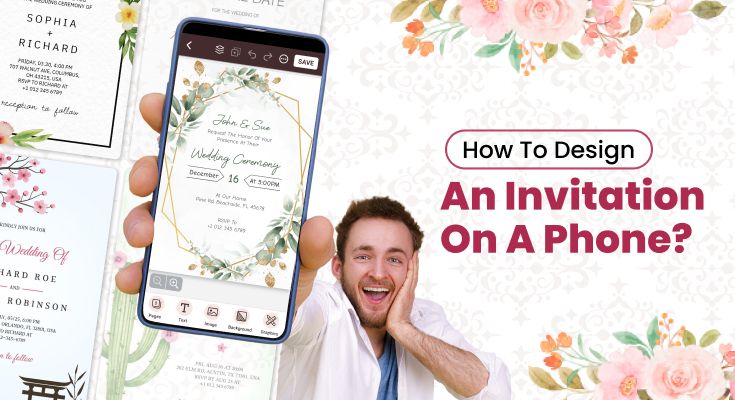
Creating beautiful invitations no longer requires expensive software or design expertise. With smartphones becoming increasingly powerful, you can now design an invitation on a phone using a reliable online invitation maker. Whether you’re planning a birthday party, wedding celebration, or business event, mobile invitation design offers convenience and creativity at your fingertips.
In this comprehensive guide, we’ll explore everything you need to know about designing invitations on your phone. From choosing the right app to mastering design principles, you’ll discover how to create stunning invitations that impress your guests.
Table of Contents
Here’s a quick look at the key sections:
- Step-by-Step Guide: How Do You Make Amazing Invitations Using Your Mobile?
- How Do You Create Eye-Catching Invitations for Every Special Occasion and Event?
- How Can You Make Professional-Looking Invitations Without Design Experience?
- What Mistakes Should You Avoid When Designing Invitations on Your Phone?
- Frequently Asked Questions
- Conclusion
Step-by-Step Guide: How Do You Make Amazing Invitations Using Your Mobile?
Creating stunning invitations on your mobile device is easier than you might think. For more advanced techniques and detailed customization options, learn how to design custom invitations using the invite maker app to take your mobile design skills to the next level.
Follow these five steps to design an invitation on your phone. Click on each step to dive deeper and explore the detailed process described below for creating stunning invitations with ease.
Step 1: Download an Invitation Maker App
Start by downloading a reputable invitation maker app. These specialized mobile applications are designed to help users create professional-looking invitations without any design experience. Modern apps provide pre-designed templates, customization tools, drag-and-drop functionality, and easy sharing options that make invitation creation simple and enjoyable.
With the 1Invites mobile app, you can customize your invitations easily using its intuitive interface and comprehensive editing tools. The app provides seamless synchronization across devices, allowing you to start designing on your phone and continue on your tablet or vice versa.
Android Users
Get 1Invites from Google Play Store – available for easy installation and immediate use

iPhone Users
Get 1Invites from the App Store – optimized for iPhone and iPad devices

Step 2: Selecting the Perfect Template
Browse Template Categories
- Birthday and anniversary celebrations
- Wedding and engagement parties
- Business and corporate events
- Holiday and seasonal gatherings
Consider Design Elements
- Color scheme compatibility
- Typography style preferences
- Layout and composition balance
- Image placeholder positioning
Step 3: Customizing Your Invitation Content
Text Customization Best Practices
- Keep headlines clear and readable
- Use consistent font styles throughout
- Maintain appropriate text hierarchy
- Ensure sufficient contrast for readability
Essential Information Placement
- Event title: Prominent position at the top
- Date and time: Unambiguous
- Location details: Include full address
- RSVP information: Easy to find and understand
Keep in mind that mobile screens are generally smaller than desktop displays. Therefore, prioritize essential information and avoid cluttering your design with unnecessary elements.
Step 4: Adding Visual Elements
Incorporating Photos and Graphics
- Use high-resolution images only
- Maintain a consistent color palette
- Balance text and visual elements
- Ensure photos align with the event theme
Design Enhancement Tips
- Add subtle borders or frames
- Use complementary color combinations
- Include decorative elements sparingly
- Maintain white space for visual breathing room
Step 5: Export and Save
Before finalizing your invitation, review it carefully for spelling errors, accurate dates and times, and proper contact information. It’s helpful to show the design to a friend or family member for a fresh perspective.
1Invites offer multiple export options:
- High-resolution PNG for printing or professional sharing
- PDF format for email attachments
- Social media optimized versions for Instagram or Facebook
- Animated GIF versions for dynamic social media posts
Save your design in the highest quality available, even if you plan to share it digitally. This approach ensures you have printing options if needed later. Once your invitation is ready, learn how to send invitations digitally to reach your guests through various digital channels effectively.
How Do You Create Eye-Catching Invitations for Every Special Occasion and Event?
Invitations play a key role in setting the tone of any event, whether casual or formal. With today’s tools, you can easily design an invitation on a phone, making the process both simple and creative. The right design, colors, and wording help capture the spirit of the occasion.
Halloween Party Invitation
Halloween invitations offer exciting opportunities for creative, spooky designs. Dark color schemes, themed fonts, and festive imagery help set the perfect mood for your celebration.
Design elements for Halloween invitations:
- Color palette: Deep oranges, blacks, purples, and dark greens
- Fonts: Gothic, horror-inspired, or playfully spooky typefaces
- Images: Pumpkins, bats, ghosts, haunted houses, or Halloween costumes
- Text tone: Fun and mysterious, building excitement for the event
Include costume requirements or suggestions directly on the invitation. This information helps guests prepare appropriately and adds to the overall event experience.
Consider animated elements if your chosen app supports them. Subtle animations like floating ghosts or flickering candles can make digital invitations more engaging.
Birthday Party Invitation
Birthday invitations should reflect the celebrant’s personality and age while clearly communicating essential party details. The design approach varies significantly between children’s and adult celebrations.
For children’s birthdays:
- Bright, vibrant colors that match their favorite themes
- Popular character imagery or cartoon elements
- Playful fonts that are still easily readable
- Include age-appropriate activity hints or surprises
For adult birthdays:
- More sophisticated color schemes and layouts
- Elegant typography and refined design elements
- Consider milestone birthday themes (30th, 40th, 50th)
- Include dress code or celebration style information
Always include RSVP information with a specific deadline to help with party planning. Consider adding dietary restriction questions for events involving food.
Wedding or Engagement Invitation
Wedding and engagement invitations require the most sophisticated design approach, as they set the tone for one of life’s most important celebrations. These designs should reflect the couple’s style while maintaining elegance and formality.
Key design considerations:
- Elegant color schemes: Soft pastels, classic whites, or rich jewel tones
- Sophisticated typography: Script fonts for names, clean fonts for details
- Romantic imagery: Floral patterns, elegant borders, or subtle textures
- Formal language: Traditional wording and proper invitation etiquette
Include all necessary information: ceremony and reception locations, dress code, RSVP details, and wedding website if available. Consider creating matching designs for save-the-dates, invitations, and thank-you cards.
Business Event Invitation
Professional event invitations must balance creativity with corporate appropriateness. The design should reflect your company’s brand while clearly communicating event benefits and logistics.
Professional design elements:
- Corporate colors: Use your company’s brand colors consistently
- Clean typography: Professional, easily readable fonts throughout
- Minimal imagery: Focus on a clear information hierarchy
- Professional language: Formal tone with clear value propositions
Include networking opportunities, speaker information, or learning outcomes to encourage attendance. Provide clear registration instructions and contact information for questions.
How Can You Make Professional-Looking Invitations Without Design Experience?
Creating professional-looking invitations doesn’t require advanced design skills or costly software. With just a few simple principles and the right online tools, anyone can design an invitation that looks polished and unique. By focusing on layout, font choice, colors, and personalization, you can achieve results that feel both creative and professional. Below, we’ll walk through practical tips to help you design invitations that truly stand out.
Choosing Fonts & Color Palettes
Typography and color selection form the foundation of effective invitation design. Understanding basic principles helps beginners create polished, professional-looking results without extensive design training.
Font selection guidelines:
- Limit yourself to 2-3 fonts maximum to maintain visual consistency
- Pair contrasting styles: Combine script fonts with clean sans-serif options
- Ensure readability: Test fonts at various sizes and on different backgrounds
- Match font personality to event type: Playful fonts for casual events, elegant fonts for formal occasions
Color palette strategies:
- Use the 60-30-10 rule: 60% dominant color, 30% secondary color, 10% accent color
- Consider color psychology: Blue conveys trust, red creates urgency, and green suggests nature
- Test accessibility: Ensure sufficient contrast between text and background colors
- Research color meanings: Some cultures associate specific colors with different emotions or occasions
Using High-Quality Images
Image quality significantly impacts your invitation’s overall professional appearance. Poor-quality photos can undermine even the best design layouts and typography choices.
Image quality standards:
- Resolution: Use images with at least 300 DPI for printed invitations
- File format: PNG files maintain quality better than heavily compressed JPEGs
- Aspect ratios: Match image proportions to your template requirements
- Consistency: Apply similar editing styles to all images within one invitation
Sourcing quality images:
- Personal photos: Use high-resolution images from smartphones or professional cameras
- Stock photo libraries: The invitation maker app includes built-in stock photo collections
- Custom graphics: Simple illustrations often work better than complex photographs
Keeping Text Clear & Readable
Text readability determines whether your guests can easily understand your invitation information. Poor text choices can make even the most beautiful designs ineffective.
Readability best practices:
- Hierarchy: Make the most important information the largest and most prominent
- Contrast: Ensure text stands out clearly against background colors or images
- Spacing: Provide adequate white space around text blocks
- Alignment: Use consistent text alignment throughout your design
Information organization:
- Primary details: Event name, date, and time should be the most prominent
- Secondary information: Location, dress code, and RSVP details in medium prominence
- Additional details: Directions, parking, or gift information in smaller text
Test your invitation’s readability by viewing it on different devices and screen sizes before finalizing.
Adding Unique Personal Touches
Personal touches transform generic template designs into memorable, meaningful invitations that reflect your unique style and event character.
Personalization ideas:
- Custom illustrations: Simple drawings or doodles related to your event theme
- Personal photography: Include photos of the guest of honor or event location
- Meaningful quotes: Add favorite sayings or lyrics that resonate with your celebration
- Inside jokes: Include subtle references that your friend group will appreciate
- Cultural elements: Incorporate traditions or symbols meaningful to your community
Subtle branding opportunities:
- Consistent color usage: Use the same accent colors across all event materials
- Signature elements: Develop a small graphic or symbol that appears on all your invitations
- Personal hashtags: Create unique event hashtags for social media sharing
- QR codes: Add codes linking to event websites, playlists, or photo albums
What Mistakes Should You Avoid When Designing Invitations on Your Phone?
Designing invitations on a mobile device is convenient, but it’s easy to overlook small details that affect readability and professionalism. To ensure your invites look polished, avoid these common mistakes during the design process.
1. Overcrowding with Too Much Text
One of the most common mistakes in mobile invitation design is including too much information, which creates cluttered, overwhelming designs that are difficult to read on small screens.
Text overload symptoms:
- Multiple font sizes competing for attention
- Dense paragraphs that are intimidating to read
- Cramped layouts with insufficient white space
- Important information is getting lost among less critical details
Solutions for text management:
- Prioritize information by importance and include only essential details
- Use bullet points for lists instead of paragraph formatting
- Create hierarchy with consistent font sizes and spacing
- Consider companion materials like websites or separate detail cards for additional information
Remember that smartphone screens are small, so every word should serve a specific purpose in communicating your event details.
2. Low-Resolution Images
Poor image quality immediately signals amateur design work and can make printed invitations look unprofessional. This mistake is particularly problematic when invitations are shared across different platforms or printed in various sizes.
Common image problems:
- Pixelated photos that appear blurry when enlarged
- Stretched images that look distorted or unnatural
- Inconsistent image styles mix different filter treatments
- Background images that interfere with text readability
Image quality solutions:
- Source high-resolution files from the beginning of your design process
- Maintain aspect ratios when resizing images within templates
- Apply consistent editing to all photos used in one invitation
- Test print quality by viewing designs at actual size before finalizing
3. Ignoring Theme Consistency
Inconsistent design elements create confused, unprofessional-looking invitations that fail to effectively communicate your event’s character or importance.
Consistency problems include:
- Mixed color schemes that don’t work harmoniously together
- Conflicting fonts that create visual chaos
- Competing design elements that distract from essential information
- Mismatched formality levels between text and visual elements
Maintaining design consistency:
- Establish a style guide with chosen colors, fonts, and imagery before starting
- Stick to your decisions throughout the entire design process
- Review the overall composition regularly to ensure all elements work together
- Get outside opinions from friends who can spot inconsistencies you might miss
4. Forgetting to Proofread Details
Spelling errors, incorrect dates, or wrong contact information can ruin otherwise perfect invitation designs and cause significant problems for your event planning.
Common proofreading oversights:
- Date and time errors that confuse guests about when to attend
- Spelling mistakes in names, locations, or important details
- Inconsistent information between different sections of the invitation
- Missing essential details like addresses or RSVP deadlines
Effective proofreading strategies:
- Read everything aloud to catch errors your eyes might skip
- Check details twice against your original event planning notes
- Ask someone else to review the invitation before sending
- Verify all contact information and website links actually work
Frequently Asked Questions
1Invites offers the perfect combination of professional features and a user-friendly interface. It provides extensive templates, customization options, and high-quality export capabilities suitable for both beginners and experienced designers.
Absolutely! Modern smartphones have powerful processors and high-resolution screens that support professional design work. With the right apps and techniques, mobile-created invitations can rival those made on desktop computers.
Design with mobile-first principles, test on multiple devices, use appropriate resolution settings, and choose readable fonts. You can always preview your invitation on different screen sizes before you finalize.
For digital sharing, use 72-150 DPI. For printing, export at 300 DPI minimum. Most apps automatically optimize resolution based on your intended use, but always verify settings before exporting.
Focus on unique color combinations, incorporate personal photos, use creative typography, and add subtle animations. However, maintain a balance between creativity and readability for maximum impact.
Conclusion
Design an invitation on a phone has never been easier or more accessible. With a powerful mobile app, intuitive interfaces, and endless customization possibilities, you can create stunning invitations that perfectly capture your event’s essence.
Remember that great design comes from practice and experimentation. Don’t be afraid to try new techniques, explore different styles, and push creative boundaries. Each invitation you create builds your skills and confidence for future projects.
Ready to create stunning invitations right from your phone? Download the 1Invites app today and discover how easy professional invitation design can be. With hundreds of templates, powerful customization tools, and seamless sharing options, your perfect invitation is just a few taps away.